Beacon how-to · November 2026
Settings fixes: Preferences, Labor Rates, and two buttons removed
Saving User Preferences no longer wipes your Build Schedule layout. Labor Rates won't save a blank, a negative number, or 0 hours. Break Times and Import Excel are gone, because neither one worked.
- v2.180.0
Screenshots are from Beacon's test site with demo data. The version number is set when this ships.
1. Patch notes
v2.180.0 Nov 2026
- Saving User Preferences no longer clears your saved Build Schedule layout. Your theme and landing page now show up again after you save them. More
- Labor Rates won't save a bad number. If a box is blank, below 0, or has 0 hours or a 0 shift share, the box turns red, the bar at the bottom says why, and Save stays off until you fix it. More
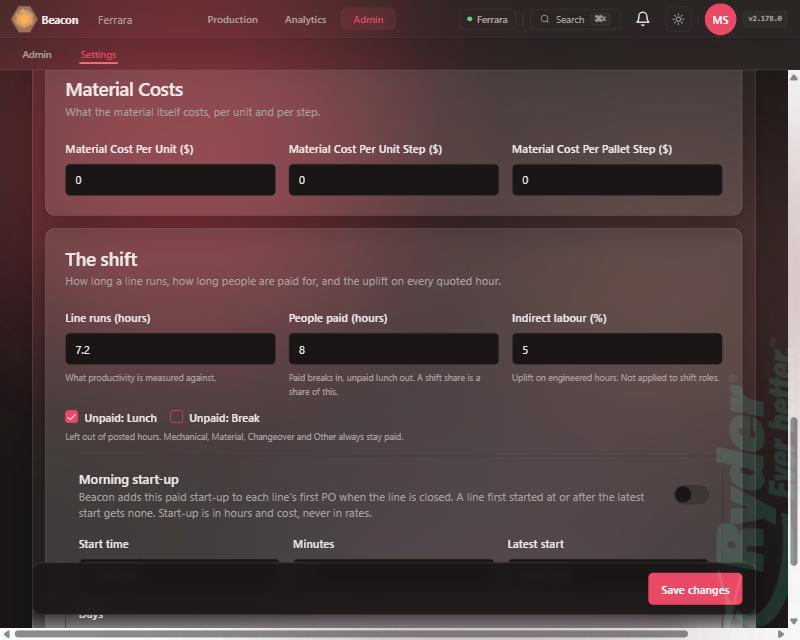
- If People paid (hours) was stored as 0, the page shows 8. That is the number quotes already used. The Labor Planner now uses 8 too. Before, it planned shift roles at 0 hours.
- The Break Times tab is gone. Admins could not save it, and nothing in Beacon has used it since the old Checkpoint timer was removed.
- The Import Excel button on Build Schedule is gone. It always said “Import failed”. Use Import Schedule or Data Transform Tool.
2. User Preferences
Where: Settings → User Preferences. Who: everyone.
BeforeSave cleared two things
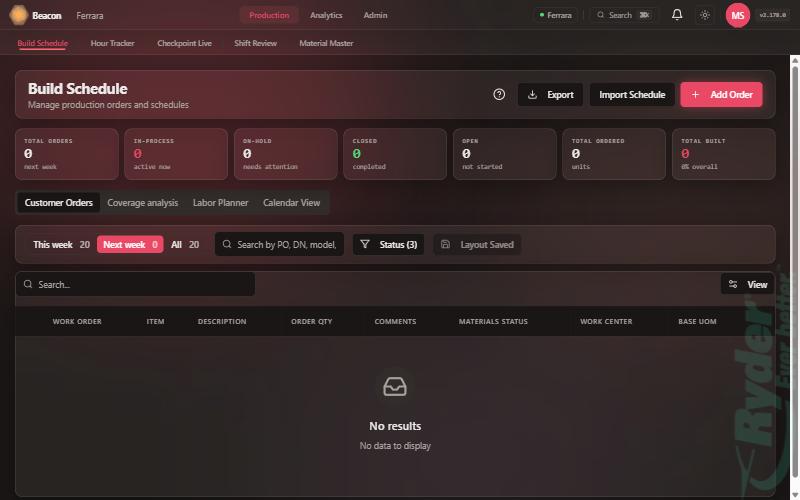
- Pressing Save Preferences wiped the layout you saved on Build Schedule with Save Layout (your Status filter and This week / Next week). Customer Orders went back to the defaults.
- Your theme and landing page saved, but the card never showed them again. It always showed the defaults.
NowEach save only changes its own settings
Save Preferences only changes the five settings on this card. Save Layout only changes the Build Schedule layout. One no longer wipes the other.
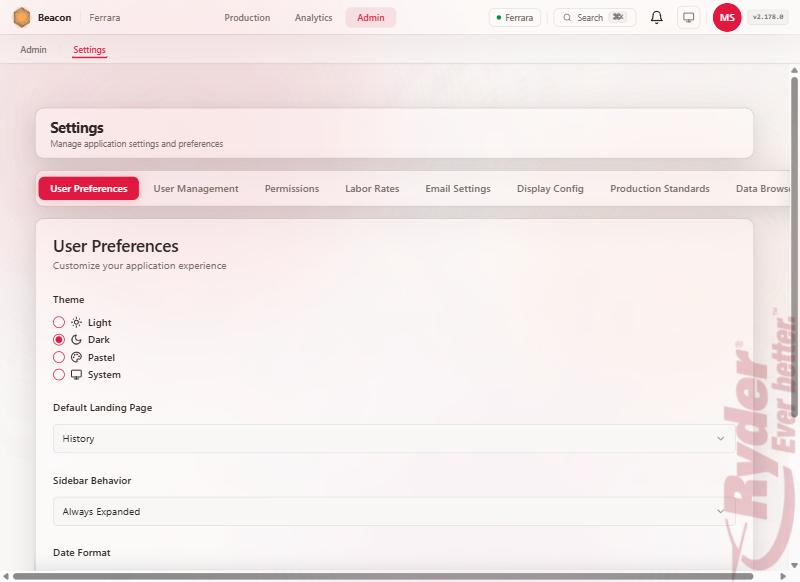
- Open Settings → User Preferences.
- Pick your theme, landing page and the other options.
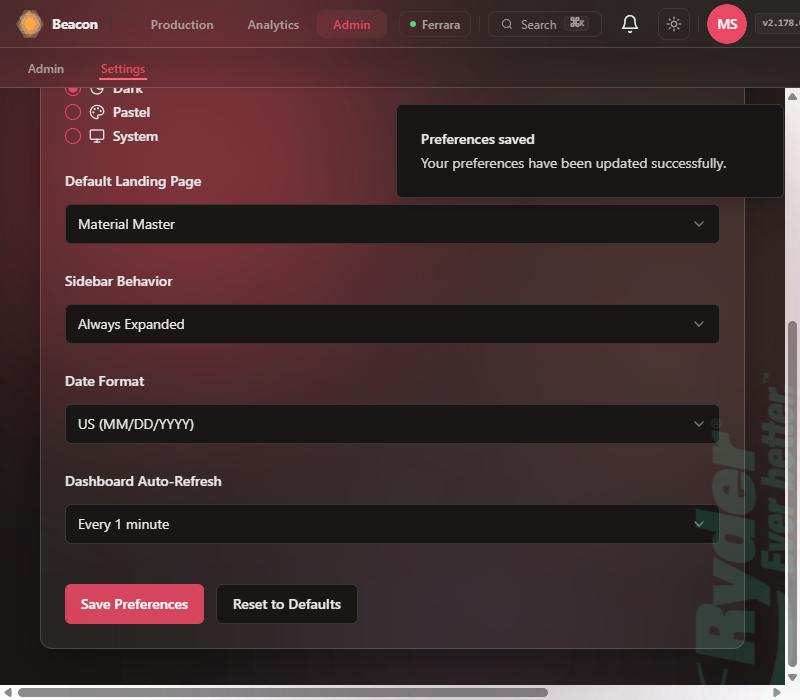
- Press Save Preferences. The message
Preferences saved
appears, and the theme changes right away.
3. Labor Rates numbers
Where: Settings → Labor Rates. Who: Admins.
BeforeBad numbers saved quietly
A cleared box saved as 0. A typed −5 saved as −5. A shift share of 0 quietly moved the role from On the shift
to On the line
when you saved. Paid hours stored as 0 showed as 8 on this page and in quotes, but the Labor Planner used 0.
NowA bad box stops Save and says why
| Box | Allowed |
|---|---|
| A role's rate ($/hr) | 0 or more. Can't be blank. |
| Share of the shift (open a role with the arrow) | More than 0. |
| Line runs (hours), People paid (hours) | More than 0, up to 24. |
| Material costs, Indirect labour (%) | 0 or more. Can't be blank. |
What you typed stays in the box, outlined in red. The bar at the bottom says what's wrong, and Save changes stays off. The message stays even if you close Advanced or fold the role's row.
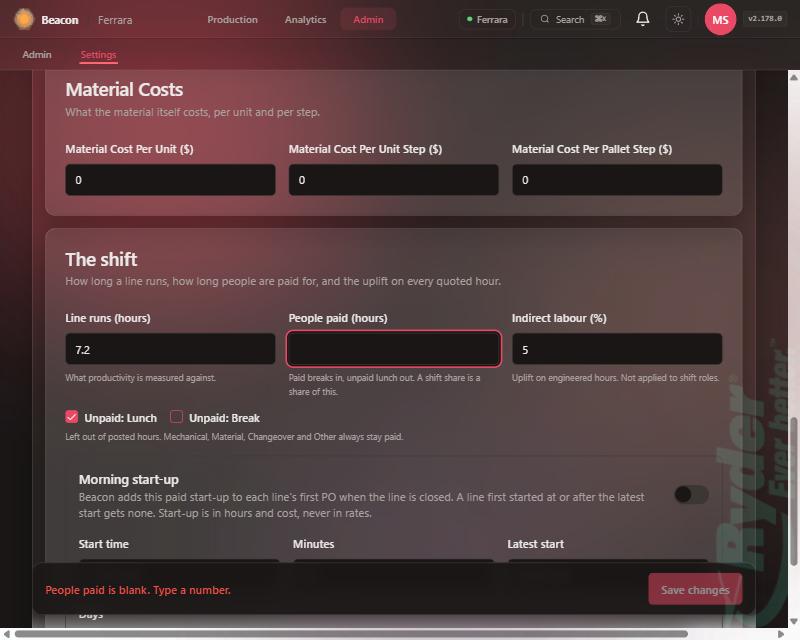
People paid is blank. Type a number.Save is off.
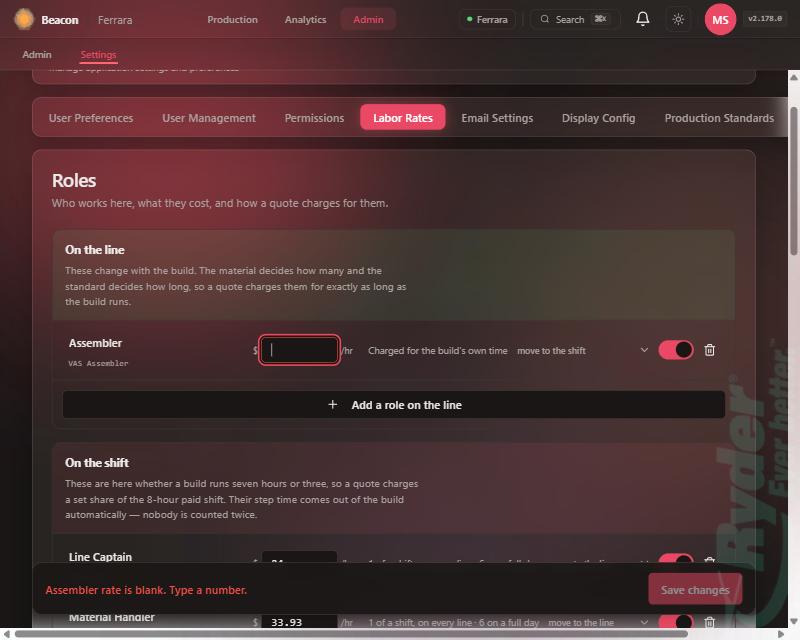
Assembler rate is blank. Type a number.
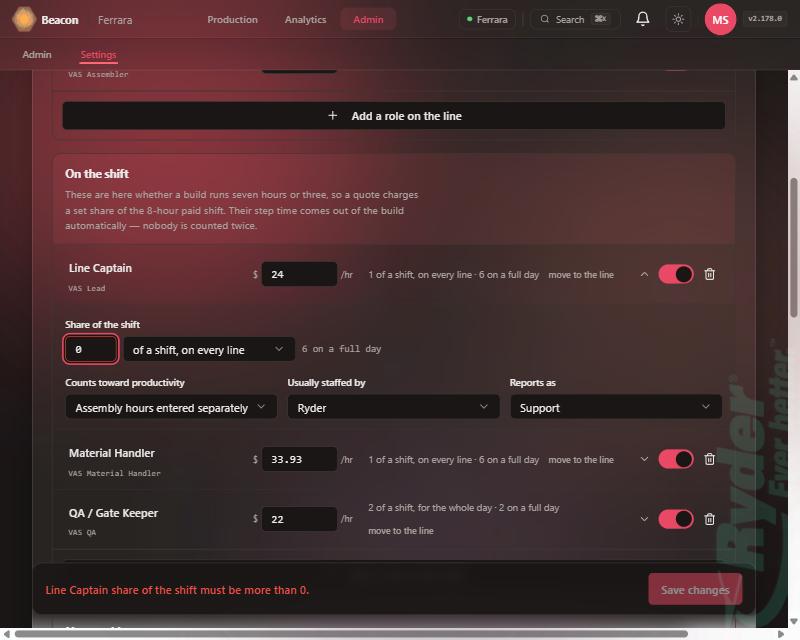
Line Captain share of the shift must be more than 0.To take a role off the shift, use move to the line instead.
Paid hours shows 8 where 0 was stored
If your site's People paid was stored as 0, the box shows 8. Quotes already used 8, and now the Labor Planner and the cost screens use 8 too. Press Save changes to store the 8, or type your real paid hours.
4. Removed: Break Times and Import Excel
- Break Times (Settings tab). Only a Super Admin could save it, and nothing read it. Breaks and lunch are logged per line on the floor, because lines break at different times. No site had break times stored, so nothing is lost.
- Import Excel (Build Schedule button). It expected an old template and read the wrong sheet, so every file failed. To load a schedule, use Import Schedule (sites with an upload profile) or Data Transform Tool. The schedule upload how-to walks through it.
5. Questions
Does any number change when this ships?
Only for a site that has 0 stored for People paid. Its Labor Planner now plans shift roles on 8 paid hours, the same as its quotes. No live site has 0 stored today, so no live number changes.
I saved Preferences before and lost my layout. Can it come back?
No. Beacon kept no copy of it. Set your Status filter and week on Build Schedule, then press Save Layout. Saving Preferences won't wipe it again.
Can a rate be $0?
Yes. 0 is allowed for rates, material costs and indirect %. Some roles have no agency rate. Only a blank box or a negative number is refused there.
Which preferences change anything outside the card?
Since v2.181.0, three do: the theme, Default Landing Page and Date Format. Sidebar Behavior and Dashboard Auto-Refresh were removed. See Your preferences now do something.