Beacon how-to · November 2026
Your preferences now do something
Default Landing Page sets where Beacon opens after you sign in. Date Format sets how dates written in numbers show on your screens. The two settings that could not do anything are gone.
- v2.181.0
Screenshots are from Beacon's test site with demo data (DEMO-2293 is a demo order). The version number is set when this ships.
1. Patch notes
v2.181.0 Nov 2026
- Default Landing Page works. After you sign in, or open Beacon's home address, you land on the page you picked. More
- Date Format works. Pick US, EU or ISO, and dates written in numbers on your screens follow it: 11/06/2026, 06/11/2026 or 2026-11-06. More
- Sidebar Behavior and Dashboard Auto-Refresh are gone. Beacon has no sidebar, and the Dashboard does not refresh by itself, so neither one could change anything.
- Nothing changes for you until you save a new choice. Everyone keeps opening on the Dashboard with US dates.
2. Default Landing Page
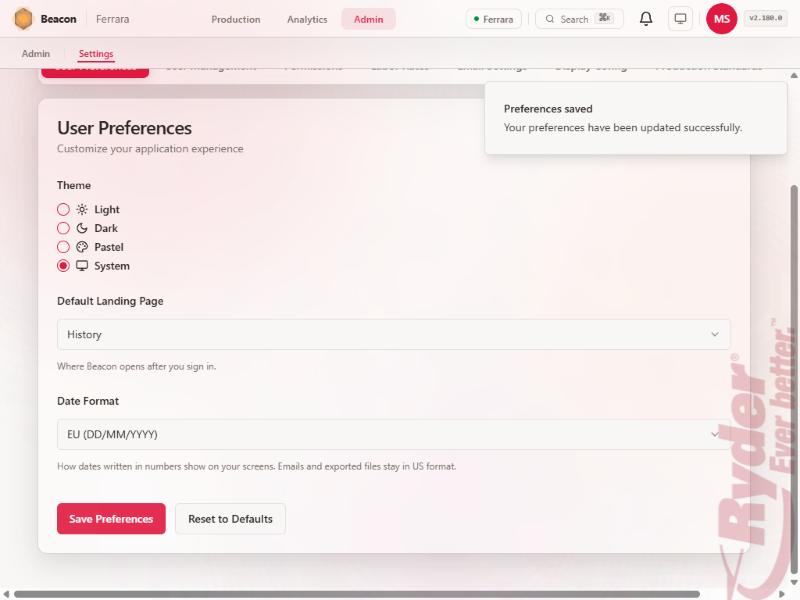
Where: Settings → User Preferences. Who: everyone, for their own account.
- Open Settings → User Preferences.
- Under Default Landing Page, pick Dashboard, Build Schedule, Hour Tracker, History or Material Master.
- Press Save Preferences. The next time you sign in, Beacon opens on that page.
3. Date Format
Pick how dates written in numbers show on your screens:
| Choice | 6 November 2026 shows as |
|---|---|
| US (MM/DD/YYYY) | 11/06/2026 · planner days: Fri, 11/6 |
| EU (DD/MM/YYYY) | 06/11/2026 · planner days: Fri, 6/11 |
| ISO (YYYY-MM-DD) | 2026-11-06 · planner days: Fri, 11-06 |
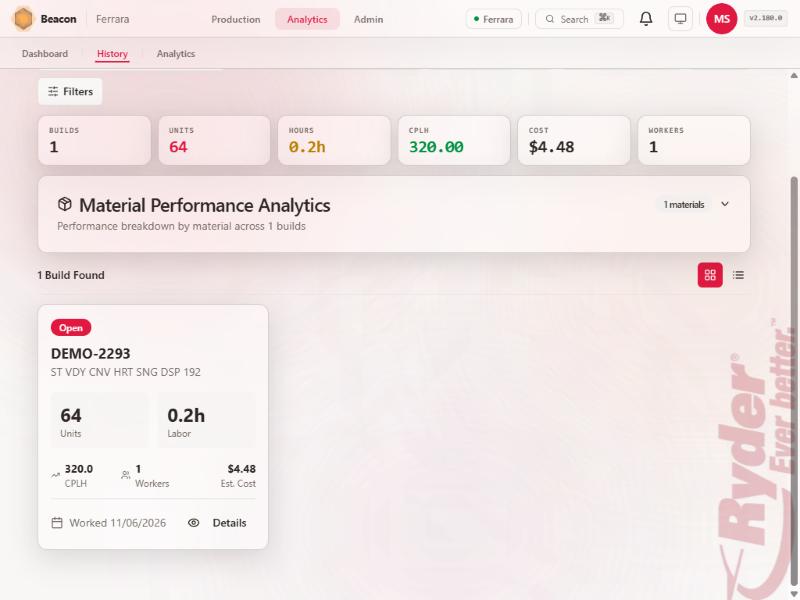
Worked 11/06/2026.
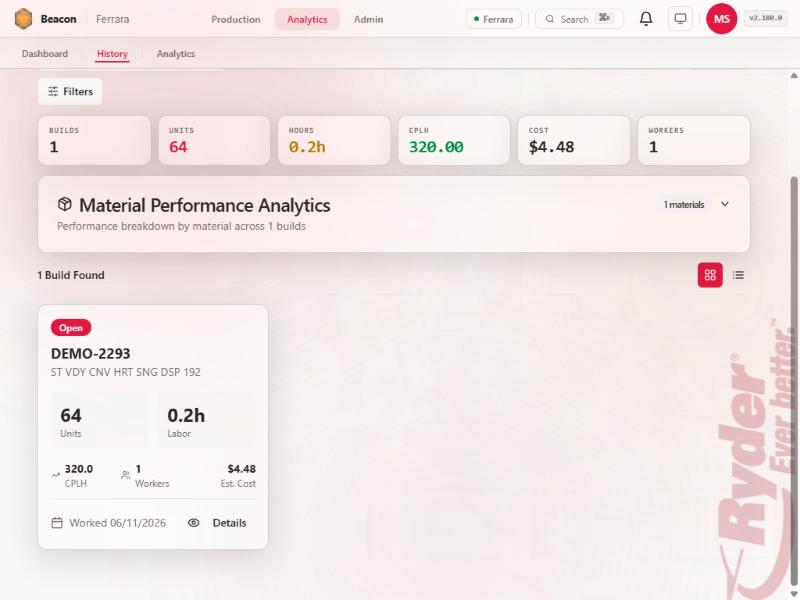
Worked 06/11/2026.
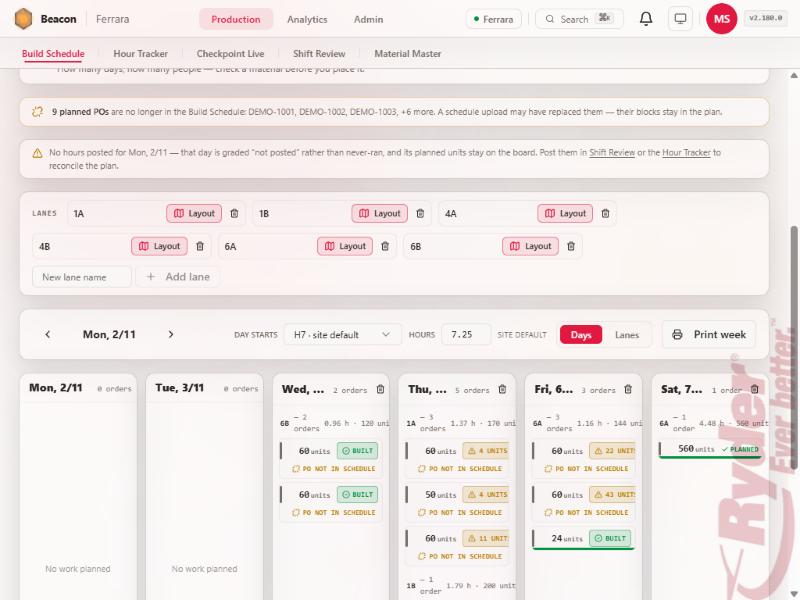
Mon, 2/11,
Tue, 3/11and so on.
Where it applies
- Build Schedule, Labor Planner, Checkpoint Live day labels, History, Material Master quotes, Coverage, Usage History, the import preview, and the Plan vs Actual ledger.
- A change shows on the next screen you open.
Where it does not apply
- Dates written with words, like
Nov 7
. They read the same in any format. - Synopsis emails and the Weekly Synopsis report. These go to many people, so they stay in US format.
- Exported files (Excel, PDF, CSV). Other people open these, so they keep the site's format.
- The date boxes you type into, like the History range. Your browser draws those.
4. Removed: Sidebar and Auto-Refresh
- Sidebar Behavior. Beacon replaced its sidebar with the bar at the top, so there is no sidebar to open or close.
- Dashboard Auto-Refresh. The Dashboard loads its numbers once when you open it. It never refreshed by itself, whatever this was set to. To see newer numbers, reload the page.
Your old choices for these two stay on your account but do nothing.
5. Questions
Will my screen look different when this ships?
No. Everyone opens on the Dashboard and sees US dates until they pick something else and save.
Does my choice change anyone else's screen?
No. Both settings belong to your account only.
I picked a page I can't open. What happens?
Beacon takes you there and shows the usual no access
message. Pick another page and save.