Meridian guide
Set site goals and track them each month
Enter your food safety and workplace safety goals once, approve them, let the Monthly Management Review fill in what Meridian can measure, and see the year in the annual review.
Enter the goals
Open Food Safety & Safety Goals from Documents. Add it first with the banner if your site does not have it. Each site has one, revised yearly.
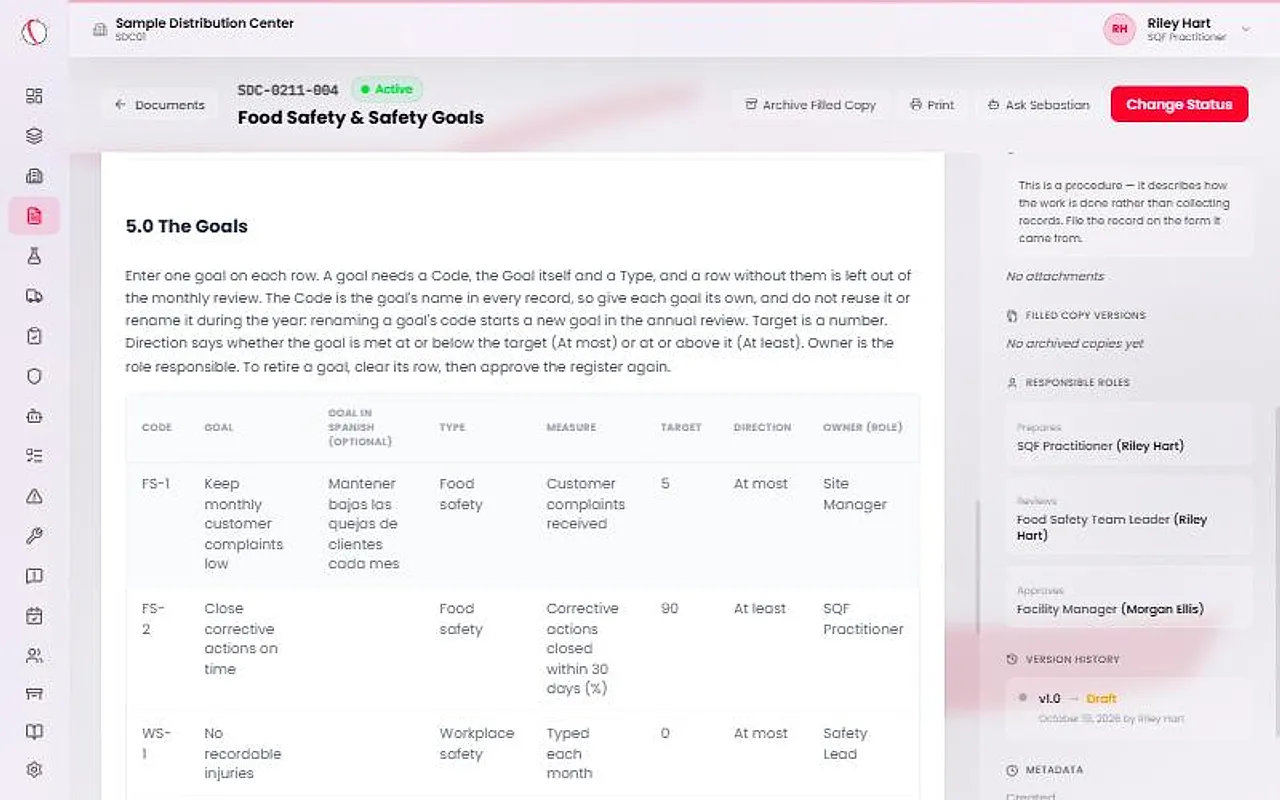
In section 5.0, enter one goal on each row: a Code, the Goal, an optional Goal in Spanish, a Type (Food safety or Workplace safety), a Measure, a Target, a Direction and an Owner (role).
Target is a number. Direction says whether the goal is met At most or At least that number. Meridian writes no goals for you.
Caution
The Code is the goal's name in every record, so it must be unique. Do not reuse or rename it during the year: a renamed code starts a new goal in the annual review. A row without a Code, a Goal and a Type is left out of the monthly review.
Choose how each goal is measured
Meridian works out seven measures for a calendar month: Customer complaints received, Corrective actions opened, Corrective actions closed within 30 days (%), Evidence Calendar records on time (%), Floor records verified (%), Training records completed and Incidents logged.
Choose Typed each month for any other goal. Every workplace safety goal is typed, whatever measure the row names, because Meridian holds no injury or collision data.
Approve and sign the goals
Site leadership presses Approve & sign. That sets the year's goals. Approve the document again whenever a goal is added, dropped or changed. Use Start revision first.
Only Food safety goals are SQF evidence. Workplace safety goals are listed so the monthly meeting looks at both kinds from one list.
Caution
Until the goals document is Active, the goals board shows no goals and the monthly review has nothing to fill in.
Fill in Goals vs. Actual each month
Open the Monthly Management Review. In Goals vs. Actual, check the Committee Meeting Date, then press Fill from Meridian in the Goals vs. Actual panel.
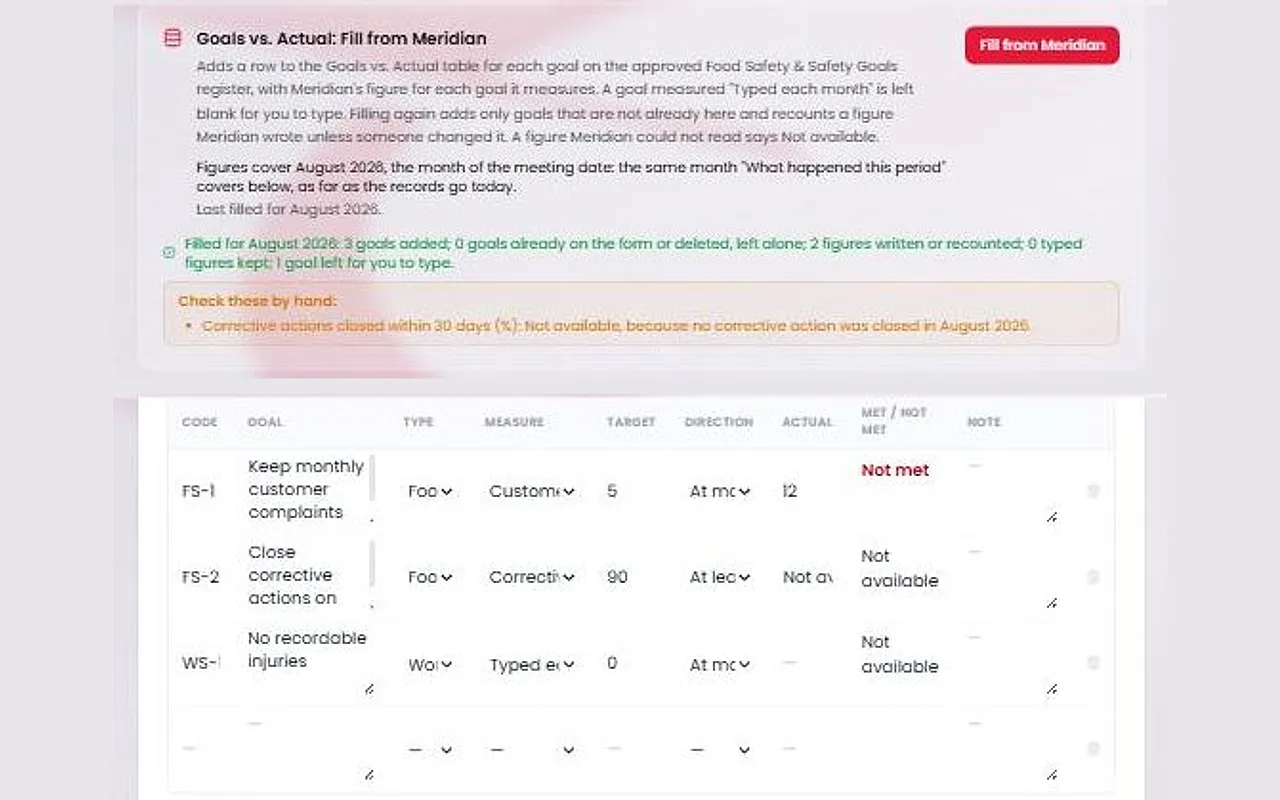
Meridian adds one row for each goal, matched by Code, and writes its own figure for the month the meeting date falls in. Goals measured as Typed each month are left blank. Type those actuals at the meeting.
Met or Not met is worked out on screen from the target, the direction and the actual. It is never stored. A figure Meridian cannot read says Not available, never 0.
Tip
Filling again adds only goals that are not already there and recounts a figure Meridian wrote, unless someone changed it. Read the notes under Check these by hand.
See the year in the annual review
In the Annual Management Review, section iii has a Goals Through the Year table. Press Fill from Meridian and it adds a row for each goal that the period's filed monthly reviews measured.
It shows Months Measured, Months Met and the Latest actual. A goal is identified by its Code.
The old Safety Goals vs. YTD Performance block is no longer on a new monthly review. Copies already filed still print their figures.