Meridian guide
Review a knowledge check's answers
Site leadership can open a past knowledge check and see which questions the person got right and wrong, without the answer key being shown.
Open the Modules tab
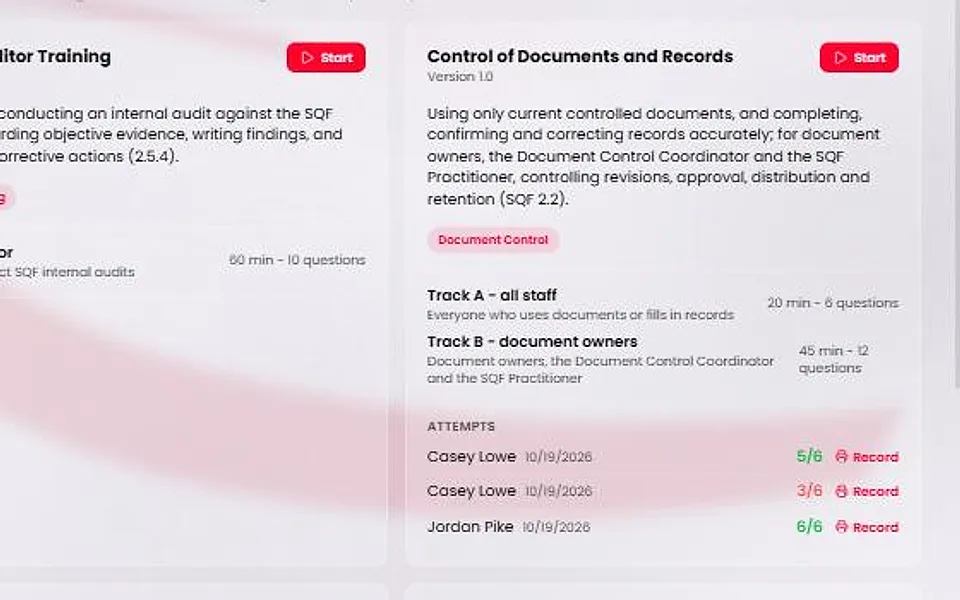
Choose Training, then the Modules tab. Each module card lists its attempts under the heading Attempts. You see the attempts only if you are site leadership (an admin, a site manager or the SQF practitioner).
Each attempt shows the person, the date and the score, for example 5/6. The score is green for a pass and red for a fail.
Open an attempt's record
Press Record beside an attempt. The page shows the completion record first. The Answers section follows it.
Press Print to print both. Back to Training returns you to the list.
Read the Answers section
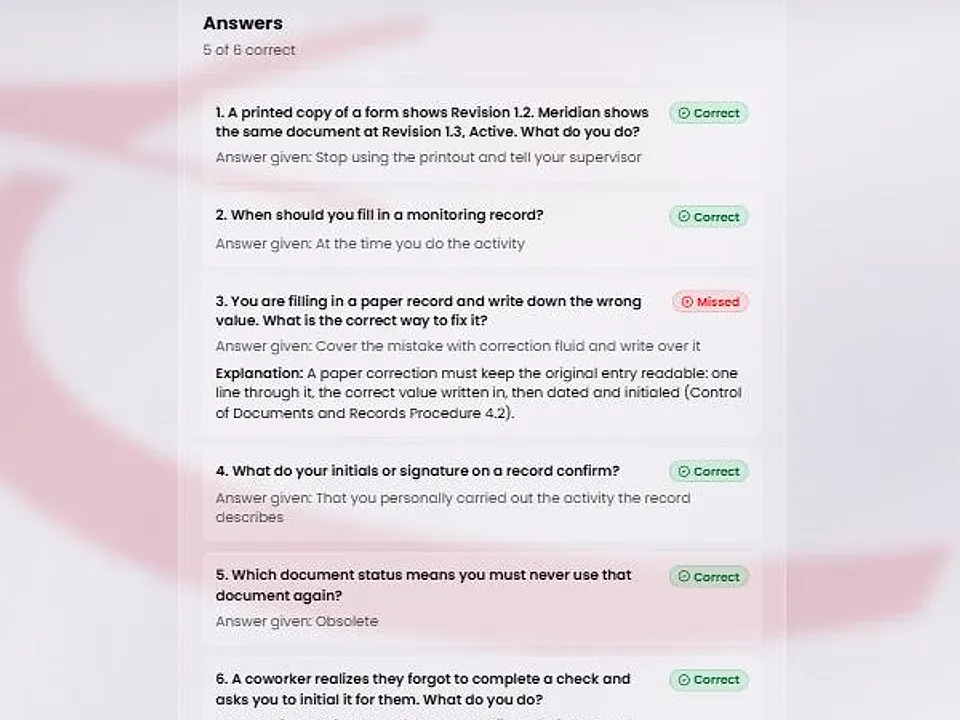
The section starts with a count such as “5 of 6 correct”. Each question follows in the order the person saw it, with the prompt, the answer they gave (or “Not answered”) and a Correct or Missed mark.
On a passed attempt, each missed question also shows its explanation.
Know what it never shows
A Missed question never shows the right option, so a retake is still a real test. A question answered correctly shows the answer that was given, which is the right one.
A failed attempt keeps no explanations. An attempt recorded before this release lists the questions with Correct or Missed but has no explanations.
Only site leadership can open the page. If the stored answers do not match the score, a notice above the section says the marks may be incomplete.