Meridian guide
Record the yearly validation
Use the Food Safety Plan & GDP Validation form to show once a year that the food safety plan and good distribution practices work as implemented, and see it feed the annual management review.
Open the form and set the dates
Open Food Safety Plan & GDP Validation from Documents. Add it first with the banner if your site does not have it. The food safety team completes it once a year.
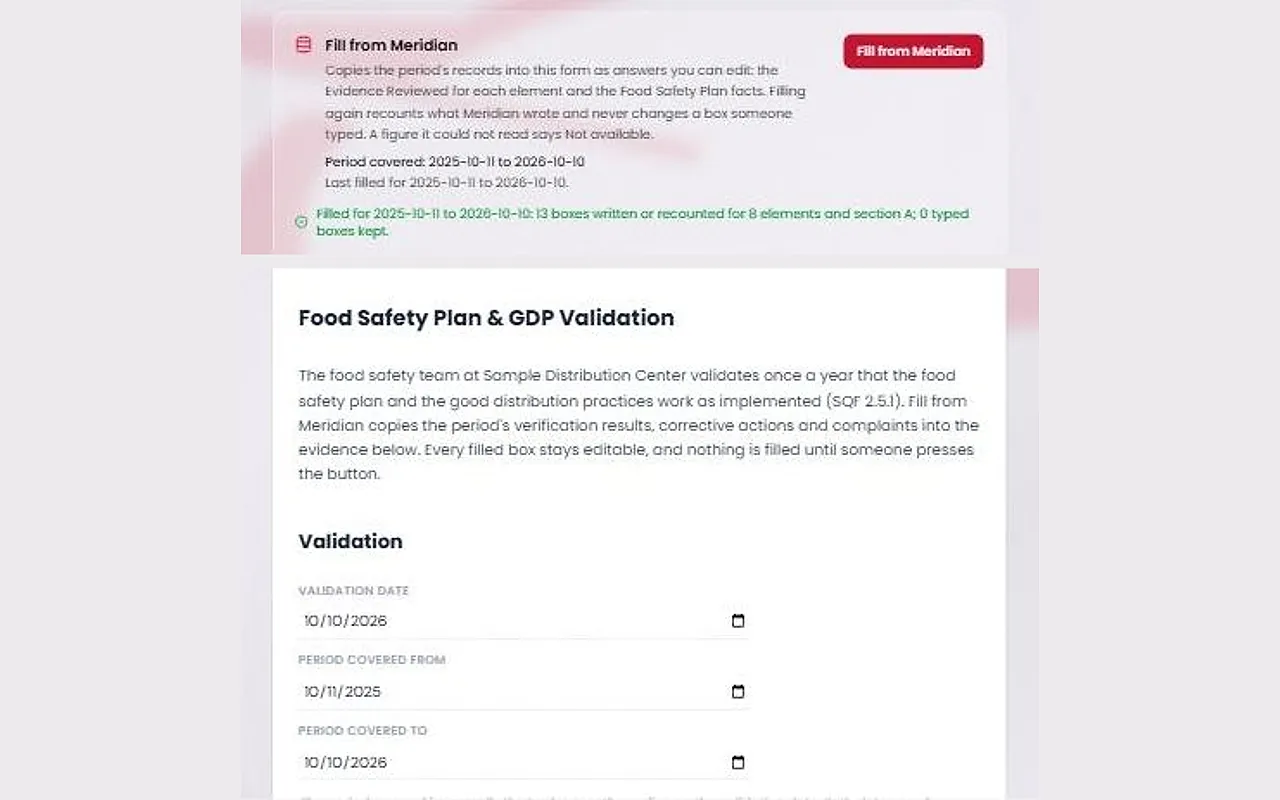
Enter the Validation Date, the day the team concluded the validation. Then set Period Covered From and Period Covered To, normally the twelve months ending on the validation date. If you leave both period dates blank, the Fill from Meridian panel offers a button for that usual period.
Press Fill from Meridian
Fill from Meridian copies the period's records into the form as ordinary answers: the Evidence Reviewed for each element, and the facts about the food safety plan, such as the hazard rows assessed and the significant hazards found.
Nothing fills itself. Filling again recounts what Meridian wrote and never changes a box someone typed. A figure Meridian could not read says Not available.
Let the team decide
In section A, answer whether the HACCP Plan and the Hazard Analysis Workbook were reviewed, enter the review dates, and write the controls validated and a conclusion on the food safety plan.
In section B, each good distribution practice element has Working as Implemented? with Yes, Partially or No, plus Action Needed and an Action Ref. Section C holds the overall conclusion and the changes needed.
Meridian never writes the conclusion. Edit any filled box before you sign.
Approve and file it
Site leadership approves the blank form once with Approve & sign. Then press Complete & file. The validation date is the done date, so the filing panel reads “From the form's Validation Date”.
Filing logs the Food Safety Plan & GDP Validation on the Evidence Calendar and closes its task when the filing leaves it current. You can also file it from the forms QR page under Office forms: “Did the yearly food safety plan & GDP validation”.
See it in the annual management review
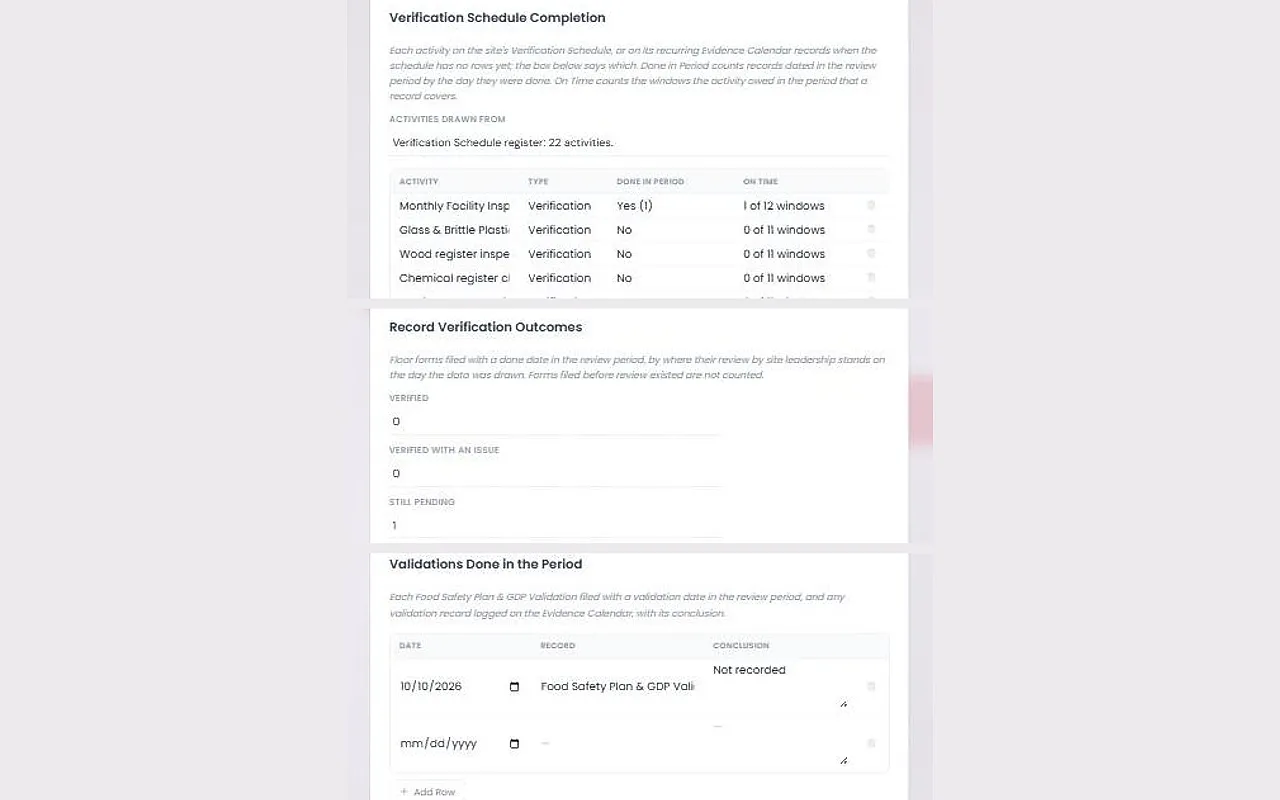
The Annual Management Review has a Verification and Validation section. Press Fill from Meridian on the review to draw it from your records: Verification Schedule Completion, Record Verification Outcomes (Verified, Verified With an Issue and Still Pending) and the validations done in the period with their conclusions.
Type the summary and the conclusions yourself. A figure Meridian could not read says Not available and is never estimated.
Tip
Leader Standard Work is an operations checklist, not SQF evidence, so it never appears in these figures.