Meridian guide
Record food safety culture survey results
Meridian runs no culture survey. File one copy of the results form for each survey your site runs, with the results file attached, and see the runs in the annual review.
Run the survey outside Meridian
Meridian does not run, send or score a culture survey. Your site runs its own, then records what it found here.
Open the results form
Open Food Safety Culture Survey Results from Documents. Add it first with the banner if your site does not have it.
Site leadership must approve the form before it can be filed. See the guide on approving forms that are waiting for approval.
Fill in the results
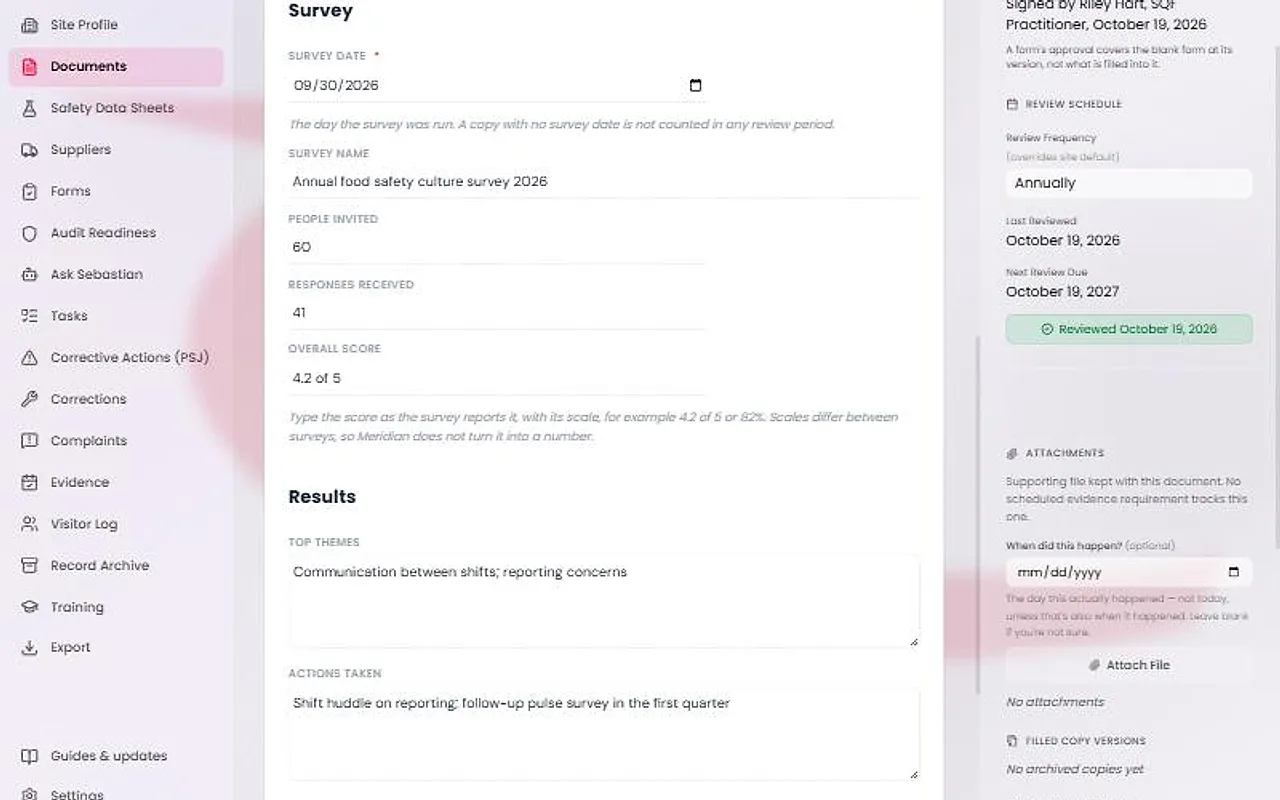
Enter the Survey Date, the day the survey was run. It is required, and a copy with no survey date is not counted in any review period.
Then enter the Survey Name, People Invited, Responses Received and Overall Score. Type the score as the survey reports it, with its scale, for example 4.2 of 5 or 82%. Meridian does not turn it into a number.
Write the Top Themes and the Actions Taken.
Attach the results file and file the form
Press Complete & file. The date comes from the form's Survey Date. Press Attach a photo or file, choose the survey's results file, then press File this record.
File one copy for each survey run. You can also file from the forms QR page under Office forms: “Ran a food safety culture survey”.
Tip
Filing credits nothing on the Evidence Calendar, because the Code sets no cadence for a culture survey.
See the runs in the annual review
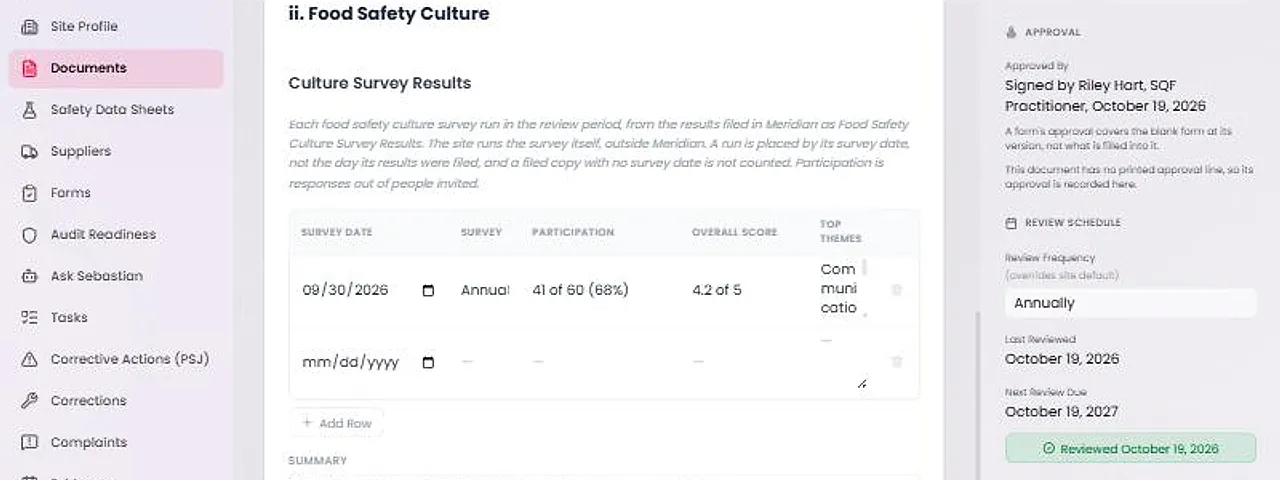
In the Annual Management Review, press Fill from Meridian. Section ii, Food Safety Culture, lists each survey run in the review period, placed by survey date and not by the day it was filed.
Each row shows the date, the survey, participation such as “41 of 60 (68%)”, the overall score and the top themes. The review's two training counts now sit under Training in the Period.