Meridian guide
Post the goals board
Print the goals in English and Spanish, post them with a QR code to the live results, rotate the code when you need to, and record the staff acknowledgement as training.
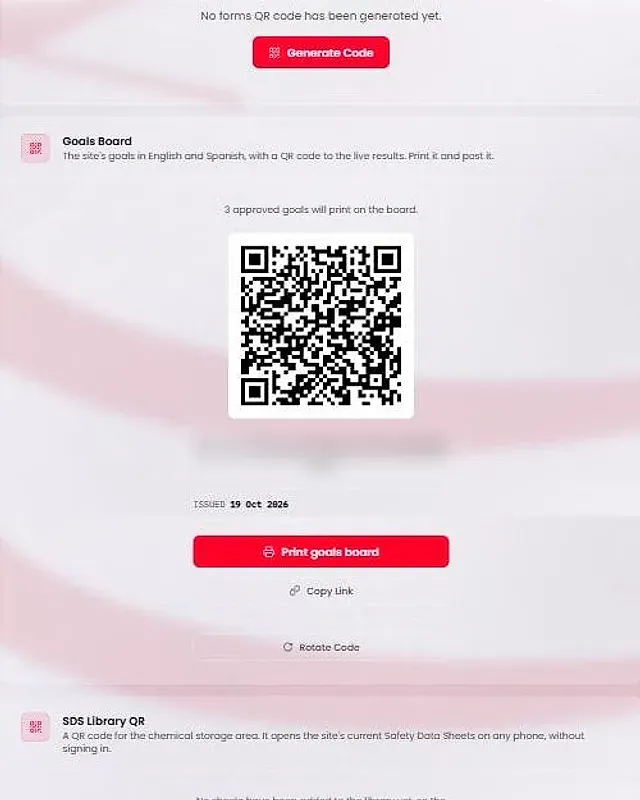
Open the Goals Board card
Open Site Profile and find the Goals Board card, beside the other QR cards. It says where your goals stand: the goals document is missing, not approved yet, or approved with a number of goals that will print.
The board shows goals only while Food Safety & Safety Goals is Active. A row with a missing code, goal or type, or a code used twice, is left off, and the card says how many.
Generate the code
If the card says no goals board QR code has been generated, site leadership presses Generate Code. Everyone else sees a message to ask a manager or the SQF practitioner to generate one.
The card then shows the QR code, its link, the day it was issued and a Copy Link button.
Print the board
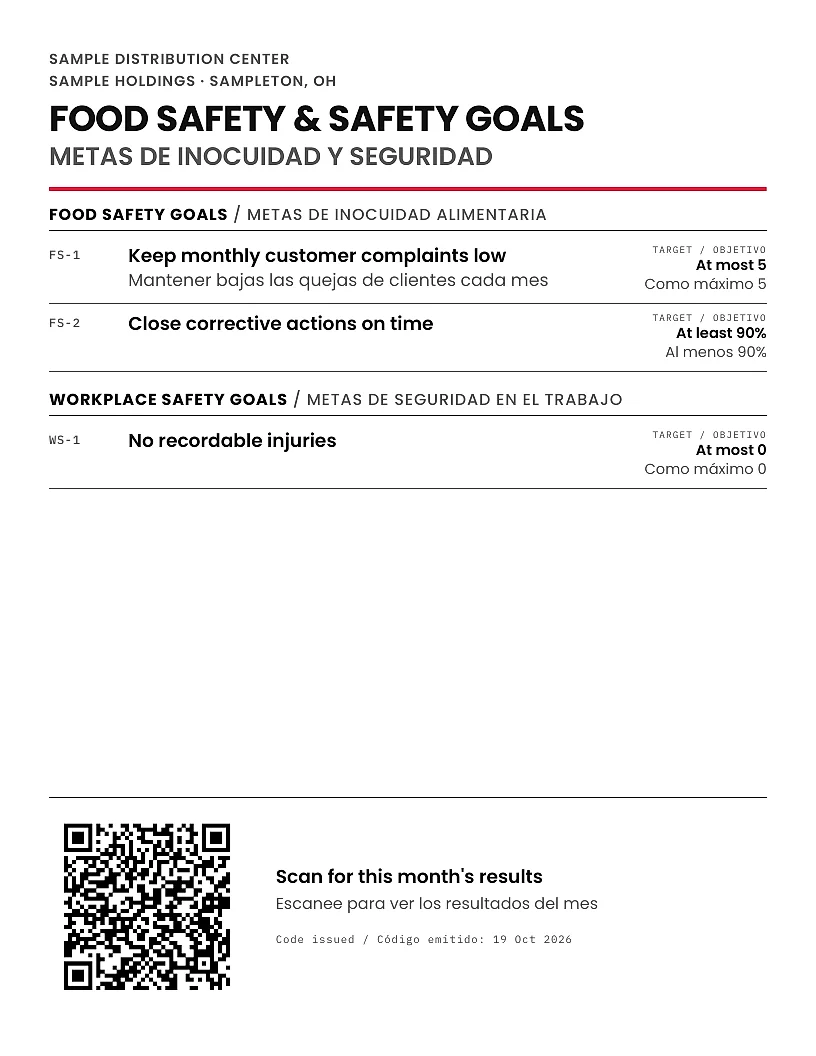
Press Print goals board. The poster is one page in English and Spanish. The headings are fixed in both languages. Each goal shows in English, with your own Spanish line when you typed one. Meridian translates nothing.
The poster shows each goal's target and carries no results, because it is printed once and the month moves. Post it where staff will see it.
Check what the QR code opens
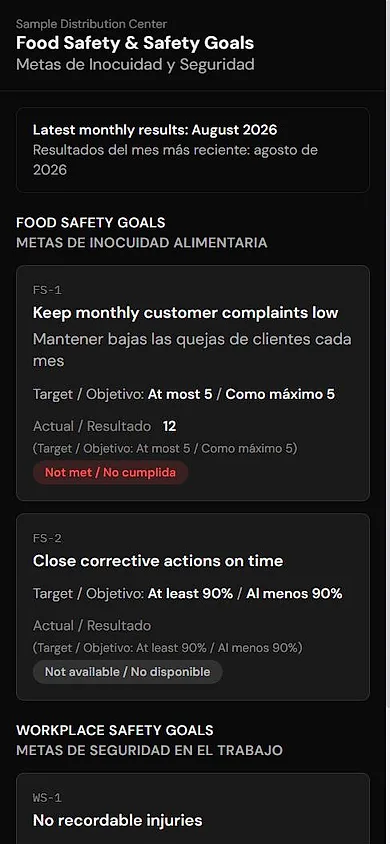
Anyone who scans the code, signed in or not, sees a read-only page with the Food safety goals and Workplace safety goals, each with its target.
Under Latest monthly results, the page shows Met, Not met or Not available for each goal, with the month it covers. It uses the latest filed Monthly Management Review, chosen by its meeting date. A review that is still being filled in is never shown.
The page has nothing to type. It shows no names, no notes and no Owner column.
Rotate the code when you must
To retire the posted boards, site leadership presses Rotate Code, then Confirm Rotate. Every printed board stops opening the page and must be reprinted. The other QR codes are not affected.
Caution
Anyone who holds the link can read the page. Rotate the code if a poster leaves the building.
Record the staff acknowledgement as training
Telling staff about the goals is recorded as training. Food safety goals is an annual training topic. Site leadership runs the Food Safety Goals session from Training, then Modules, then Start.
The session shows your site's own approved goals, then asks five questions. With no approved goals it says so in one line. There is no public way to credit training from the QR code. You can also record it with Log Training.