Meridian guide
Keep the Verification Schedule
Set who does each verification and validation activity and how often, and read when each was last done and when it is next due.
Add and open the schedule
The Verification Schedule is a document in module 2.5. If your site does not have it, add it with the banner on the Documents page. It is a work instruction, so you can edit it while it is a Draft or Under Review.
The HACCP Plan and the document control procedure already point to a verification schedule. This is it.
Read a row
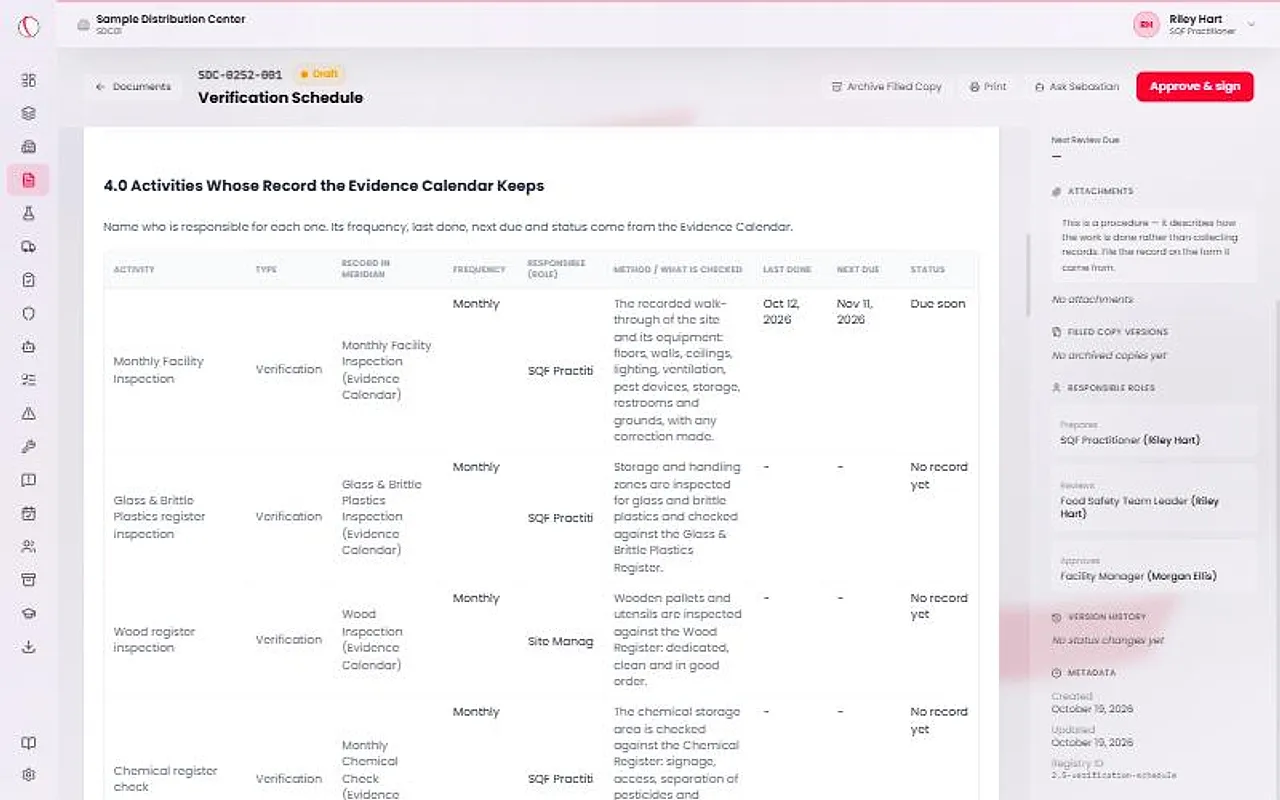
Each row is one activity. The Type column says Verification or Validation, never both. Verification checks that the controls are being carried out. Validation checks that the plan, as carried out, is enough. An internal audit is verification.
Meridian pre-fills the rows from its own records. The Record in Meridian column names the record each row reads its dates from.
Set owners and frequencies
Type the responsible role in the Responsible (role) column. Meridian sets neither who does an activity nor how often. The site does.
In the first table, the frequency comes from the Evidence Calendar. To change one of those, change it on the Evidence Calendar. In the second table, choose a Frequency from the list. A frequency already filled in is Meridian's starting point, and it counts until you choose your own.
Tip
A row that says Set a frequency has no frequency yet, so it has no Next due.
Add the site's own activities
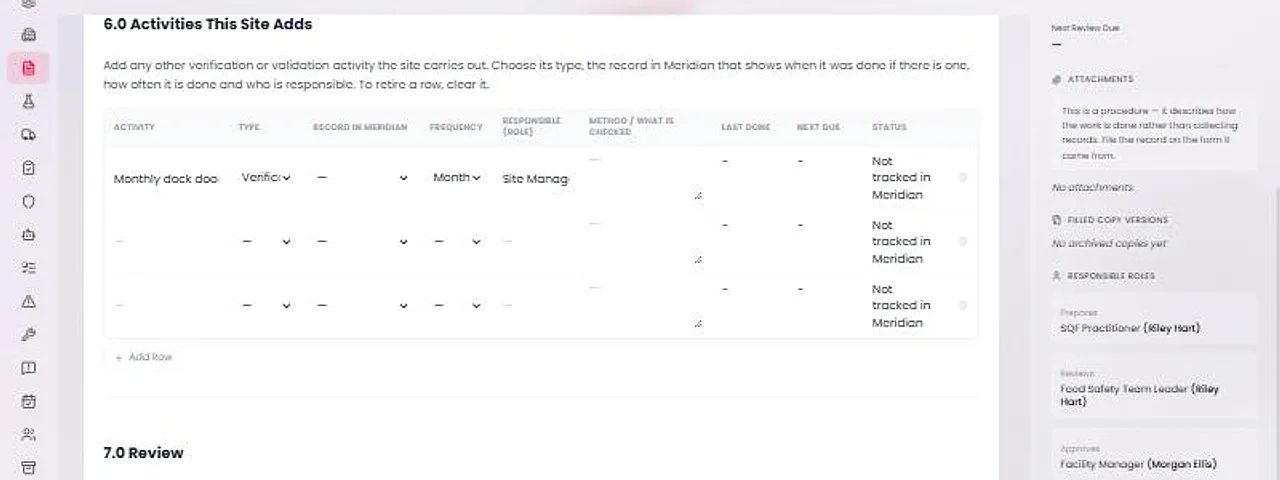
The last table, Activities This Site Adds, is for anything else the site does to verify or validate. Choose its Type, the Record in Meridian that shows when it was done if there is one, how often it is done and who is responsible.
To retire a row, clear it.
Read Last done, Next due and Status
Last done is the day the record says the thing was done, such as the date on the form. It is never the upload date. Next due is last done plus the frequency.
Status reads On time, Due soon, Overdue or No record yet. A daily or weekly activity never reads Due soon. Not tracked in Meridian means Meridian holds no record to read a date from, so the evidence is kept where the Method column says.
These three columns are worked out each time the page is shown and are never stored. A copy made away from the page, such as the audit binder, says Not available for them.
Approve the schedule
When the rows are right, site leadership presses Approve & sign. Review the schedule at least once a year, and whenever an activity is added, dropped or changes how often it is done.
After approval, use Start revision to change it.