Meridian guide
Keep the External Documents & Tools register
List the customer, corporate, regulator and supplier documents your system relies on, link each one, and show them under Related Documents on the Meridian documents they go with.
Open the register
External Documents & Tools is one controlled register, a work instruction in module 2.2. Add it first with the banner on the Documents page if your site does not have it.
It lists the documents and tools that come from outside the site: a customer's requirements, a corporate standard, a regulation, a supplier's document or a tool the team works with.
Add a row for each item
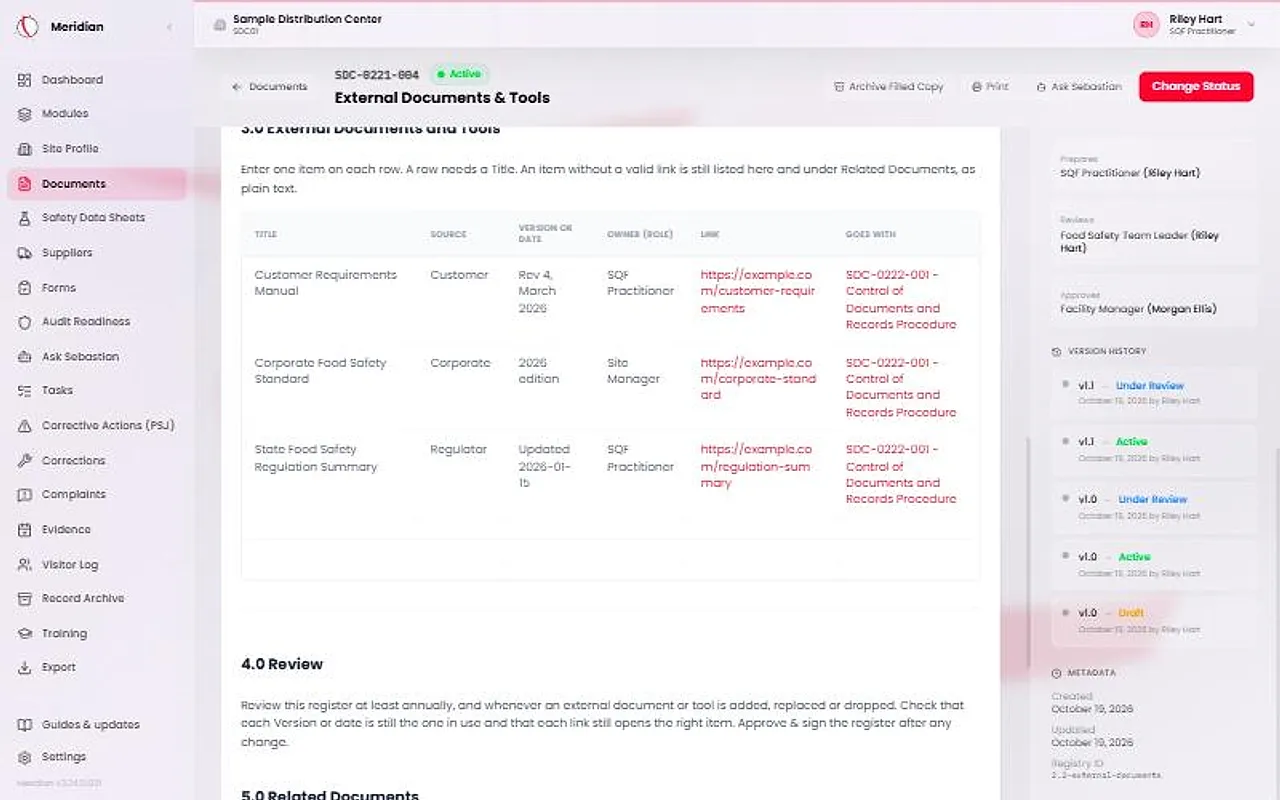
In section 3.0, enter one item on each row. A row needs a Title.
Choose the Source: Customer, Corporate, Regulator, Supplier or Other. Enter the Version or date the site holds, and the Owner (role), the person responsible for keeping the item current. When you replace an item with a newer one, change its row.
Paste a valid link
The Link column takes a web address that starts with http:// or https://. Meridian accepts no other kind of address. The link opens in a new tab.
An item with no valid link is still listed, as plain text.
Choose what each item goes with
In Goes with, pick the Meridian documents the item belongs to. You pick them from your site's own documents. You cannot type them.
Approve the register
Site leadership presses Approve & sign to put the register in use. To add, change or remove an item later, use Start revision, make the change and press Approve & sign again.
Review the register at least once a year. Check that each version or date is still the one in use and that each link still opens the right item.
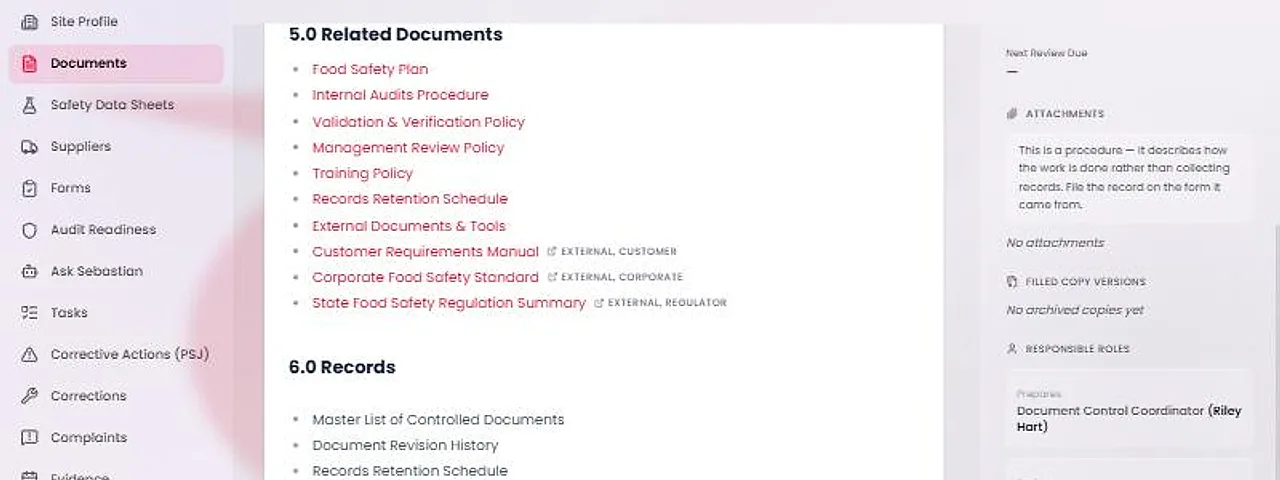
Find the items under Related Documents
While the register is Active, each row appears under the fixed items of Related Documents on every document its Goes with names. On screen, the title is a link marked External, with its source. On paper, the title is printed with its address beside it.
While the register is a Draft, Under Review or Obsolete, or has not been added, nothing shows. A filed copy never shows external items.