Meridian guide
Keep Safety Data Sheets
Keep one current sheet for each chemical, replace a sheet without losing the old one, post a QR code in the chemical area, and see which chemicals have no sheet.
Open the library
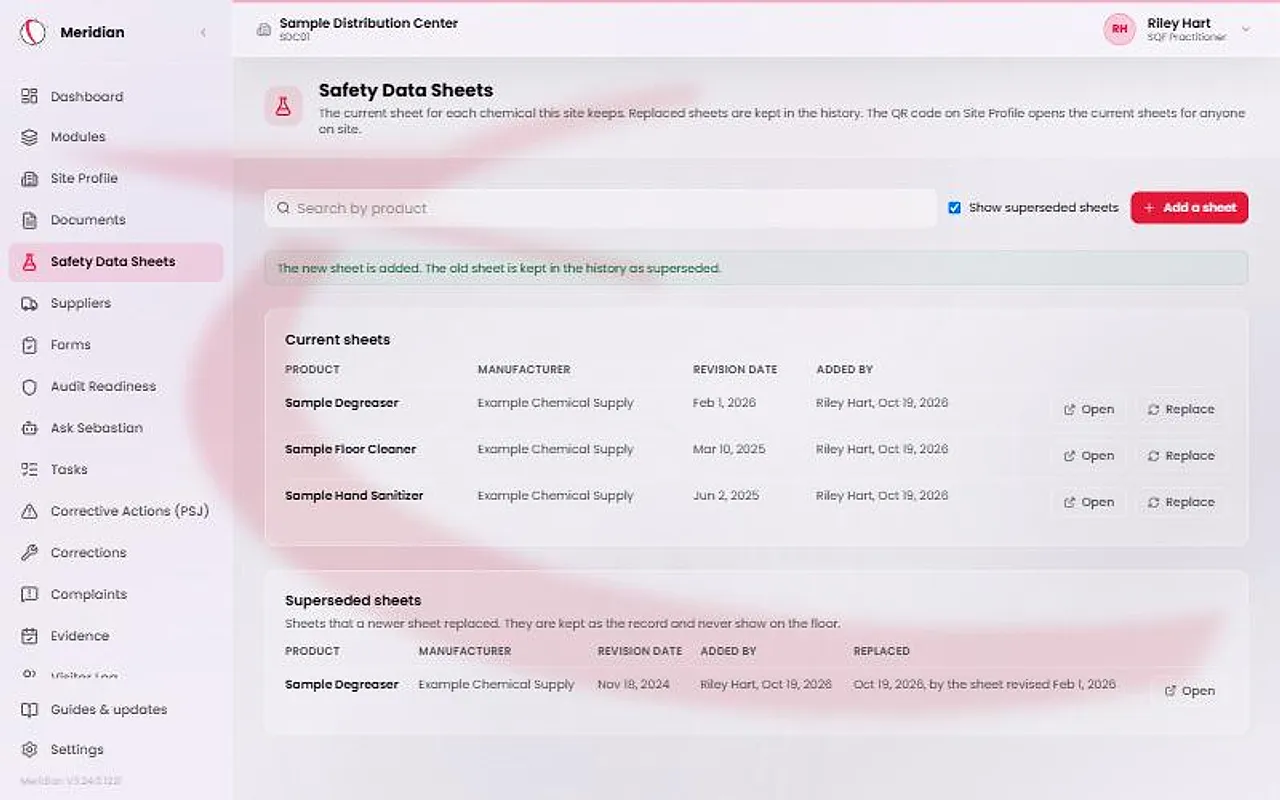
In the sidebar, open Food Safety System and choose Safety Data Sheets. The Current sheets table lists each product with its manufacturer, the sheet's own revision date and who added it.
Anyone on the site can press Open. The file opens in a new tab through your own sign-in, and no link is created to send around. Search by product to narrow the list.
Add a sheet
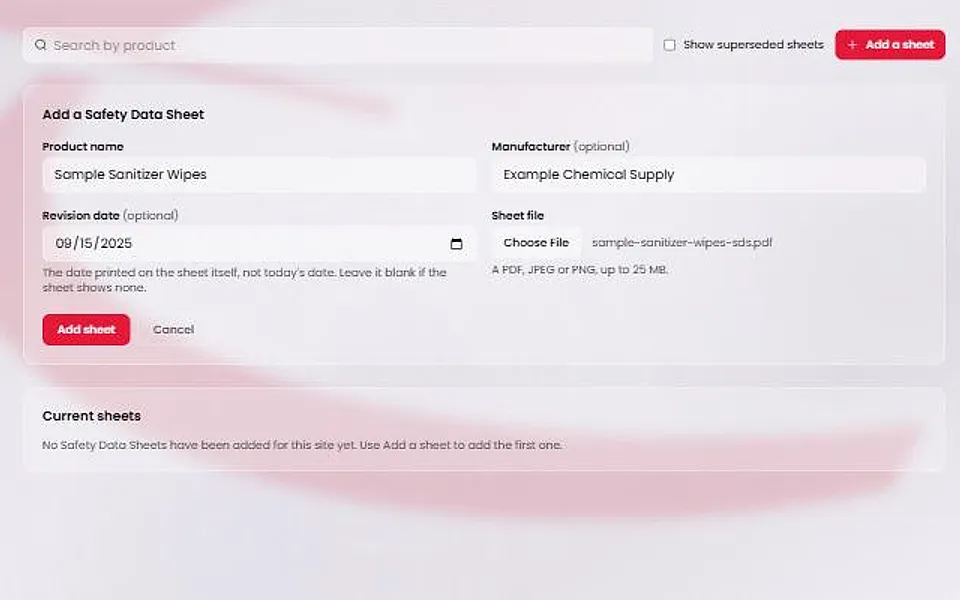
Press Add a sheet. Admins, site managers, the SQF practitioner and contributors see it. A viewer cannot add sheets.
In the form, enter the Product name. Manufacturer is optional. Revision date is optional too: enter the date printed on the sheet, not today's date, and leave it blank if the sheet shows none.
Choose the Sheet file, a PDF, JPEG or PNG up to 25 MB, then press Add sheet.
Replace a sheet
Press Replace on a sheet's row. The form is titled with the product's name. Choose the new file and press Replace sheet.
The new sheet becomes the current one. The old sheet is kept as superseded and is never deleted or edited. Only the current sheet shows on the floor.
Tick Show superseded sheets to see the history, with when each sheet was replaced.
Caution
Meridian does not check that a sheet is the manufacturer's latest. The revision date is what you typed.
Post the floor QR poster
Open Site Profile and find the SDS Library QR card. It says how many current sheets the page will show. Press Print poster and post it in the chemical storage area.
The QR code opens a read-only page in English and Spanish with no sign-in. It lists only the current sheets, with the product, manufacturer and revision date, and a search box. An Open sheet link opens each file in a new tab.
Site leadership generates or rotates the code. Rotating retires every posted poster, which must be reprinted. The other QR codes are not affected.
Watch the Chemical Register warning
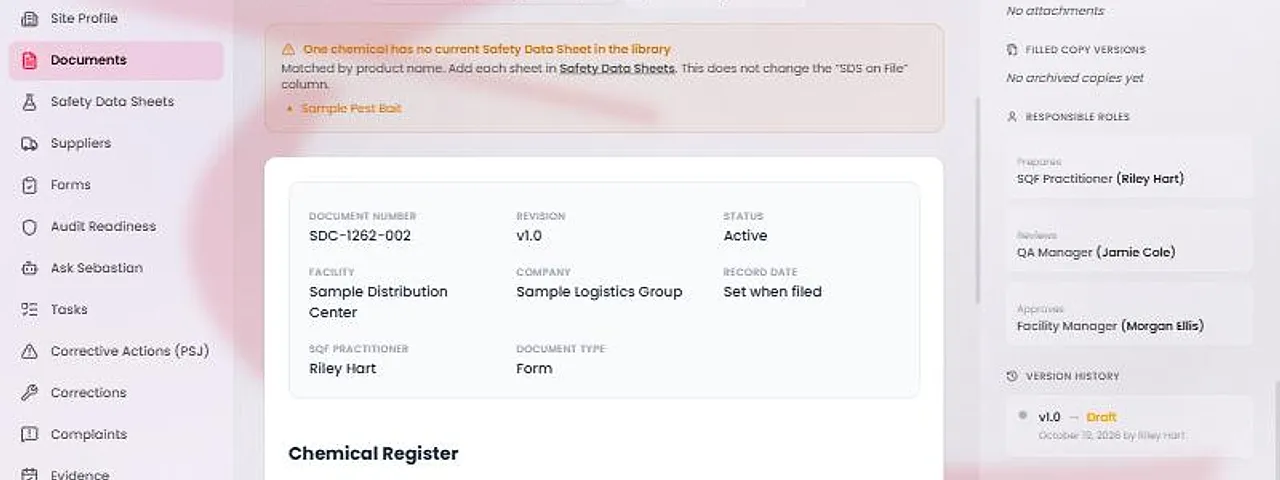
On the Chemical Register and the Chemical Register - Monthly, a warning lists each chemical in the Chemical / Product Name column that has no current sheet in the library. Add each missing sheet in the library.
Names are matched by product name. Capital letters and spaces at the ends do not matter, but Sani-Clean and Sani Clean are different names. A superseded sheet does not count.
The warning never fills in or changes the SDS on File column. That stays your answer.