Beacon how-to · November 2026
Labor Planner: Split to another lane never lands on existing work
Split sends half a block to another lane. It used to put that half at the same hour no matter what was already there, so it could sit on top of another order and count both crews at once. Now it uses the same hour only when the lane is free then. Otherwise it goes to the lane's first free slot, or the planner tells you there is no room.
- Next release
1. What's new
- Lane free at that hour: both halves run at the same time, as before. See it
- Lane busy at that hour: the half goes to the lane's first free slot, after the changeover gap, and the planner says where. See it
- No room that day: nothing is split, and the planner says why. See it
- Staged SKUs keep their stage on the split-off half, so it is timed as that stage and not as the whole SKU.
- The tray's keyboard placement (Enter on a tray card) uses the same free-slot search, so it can't land a block a few minutes into the next one either.
Screenshots are from Beacon's dev site. PO DEMO-2293 and the other POs there, and all their numbers, are demo data, not real production. Nothing in the demo was saved.
2. Split a block onto another lane
- In the Labor Planner day view, double-click the block to open its panel.
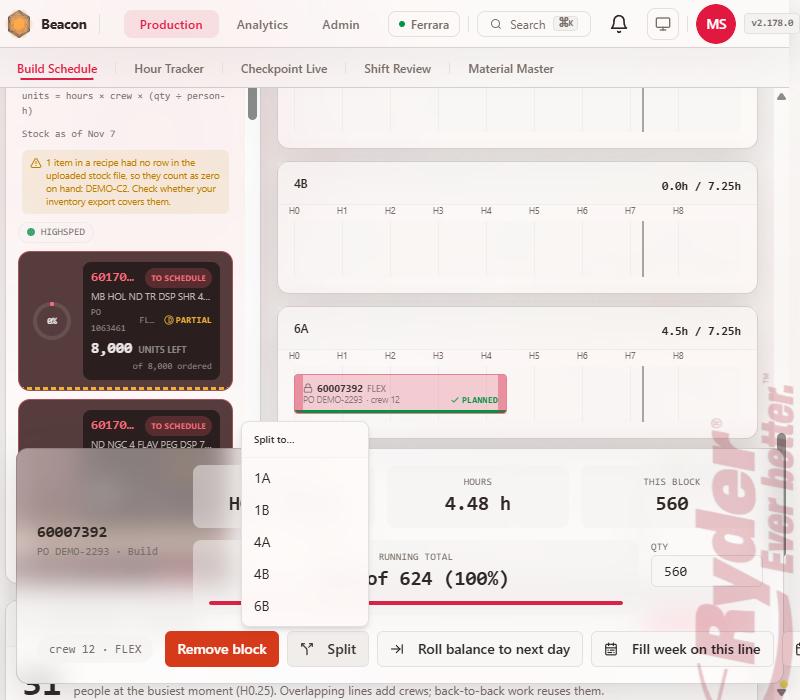
- Click Split and pick the lane (Fig. 1).
- The block keeps the larger half on its own lane. The other half goes to the lane you picked.
- Check the plan, then Save plan as usual.
2.1Lane free at that hour: same hour
Splitting the 6A block onto an empty 4B puts both halves at H0. That is a dual-line run: two lines on the same order at the same time.
2.2Lane busy at that hour: next free slot
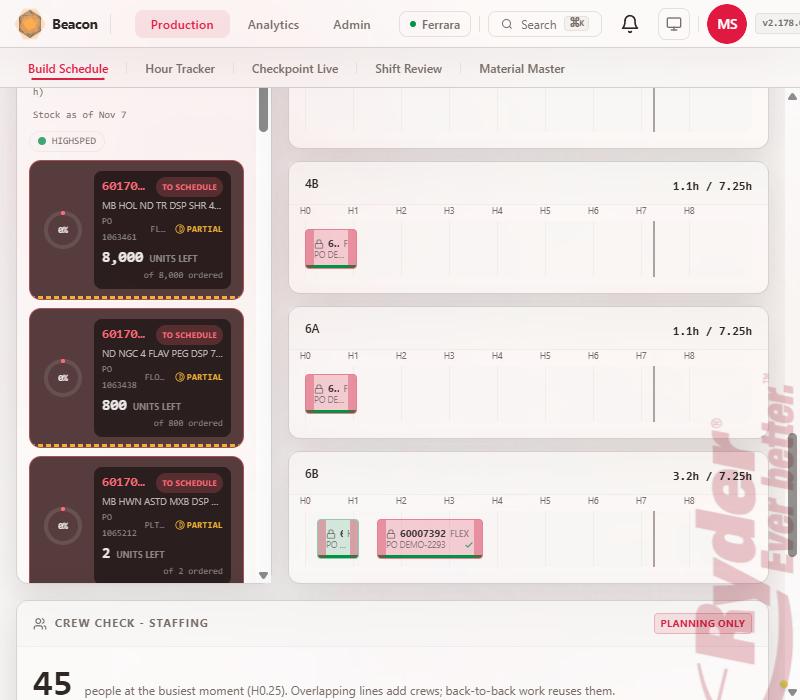
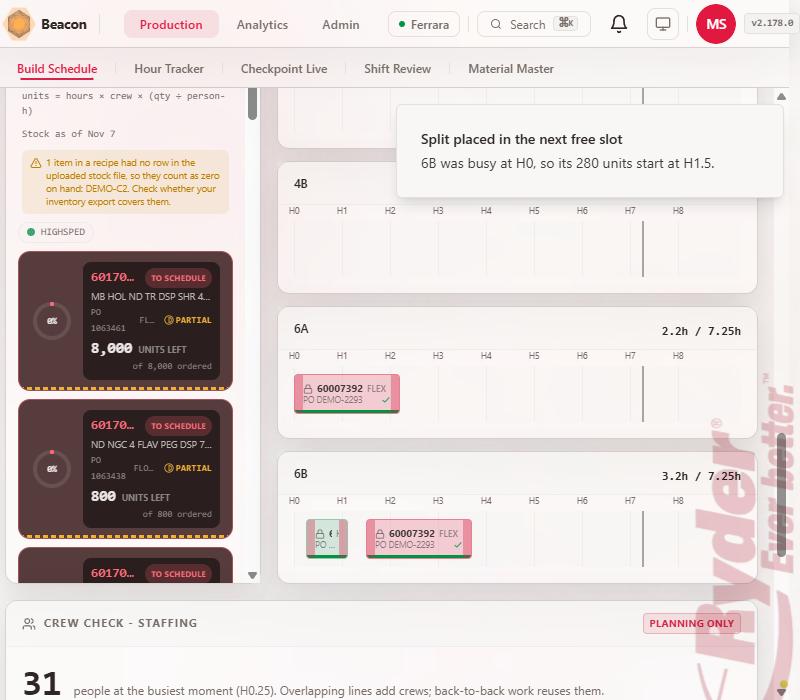
6B already runs another PO from H0.25 to H1.17. Before, the half would have started at H0 on top of it. Now it starts at H1.5, after that order and the 15-minute changeover, and the planner says so.
2.3No room that day: nothing changes
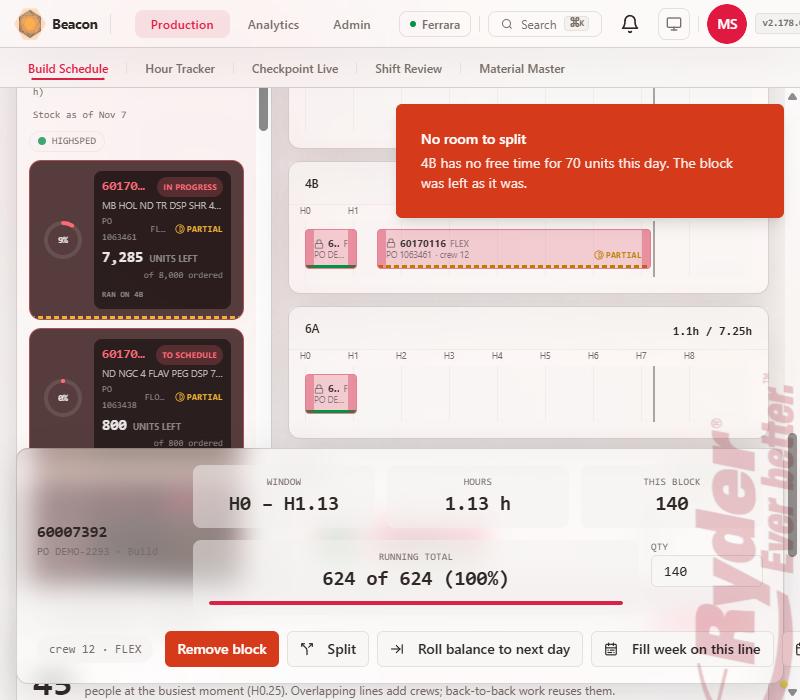
If the lane has no gap long enough for the half anywhere that day, the split is refused and both blocks stay as they were.
3. Questions
I want both halves at the same hour, but the other lane is busy.
Move or shorten the work on that lane first, then split again. Beacon will not stack two orders on one lane.
Why did the half land earlier in the day than the original?
It goes to the lane's first free slot that day. If that is before the original's start, the half runs earlier. Drag it if you want it later.
Does this change blocks that were already split?
No. Blocks already on the plan stay where they are. If one overlaps, the planner's Fix overlaps warning still shows it.