Beacon how-to · November 2026
Labor Planner: overruns come off the next day, and placed blocks fit
Two planner fixes. If a line builds more than planned, the extra now comes off that PO's next planned day, even when you submit Shift Review the next morning. And a block you drop or resize by hand now ends inside its gap or the day, so it no longer shows a false “past end of day” or doubles the peak crew.
- Next release
1. What's new
- Morning reviews trim too. Plan 1,000 Wednesday and 600 Thursday on a 1,600 order. Build 1,040 Wednesday and submit Wednesday's review Thursday morning: Thursday now shows 560, not 600. How
- Today's block is cut, never removed. If the line may already be running it, it stays on the plan. Why
- Plan vs Actual does not change for days already graded, and today is graded against the new number. Example
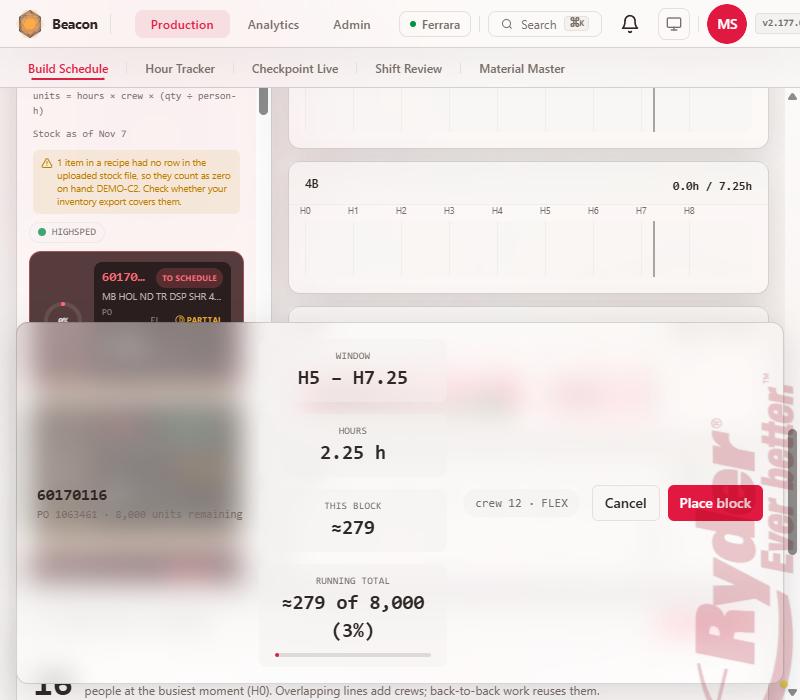
- Drop, panel and resize fit the window. The units Beacon offers are the most that fit, timed the same way the bar is drawn. See it
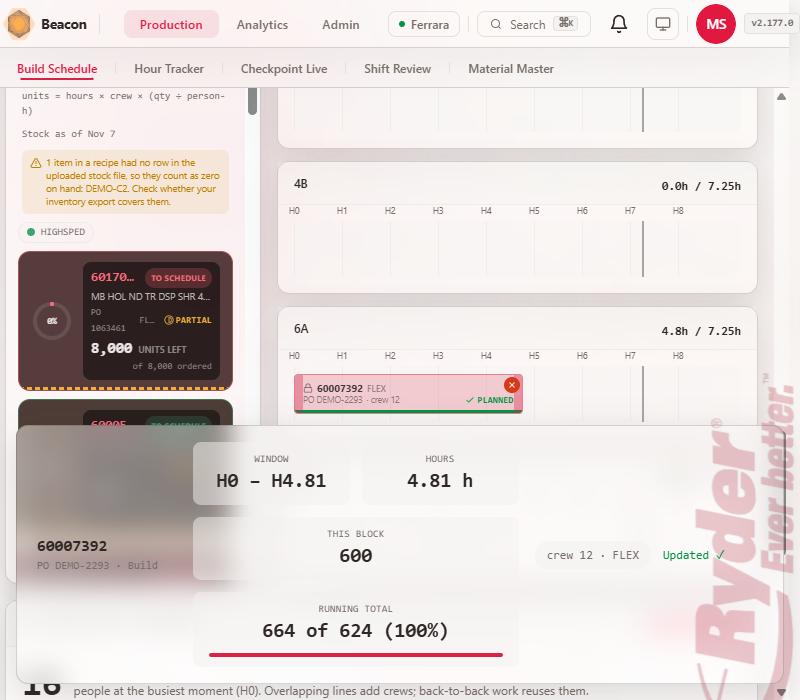
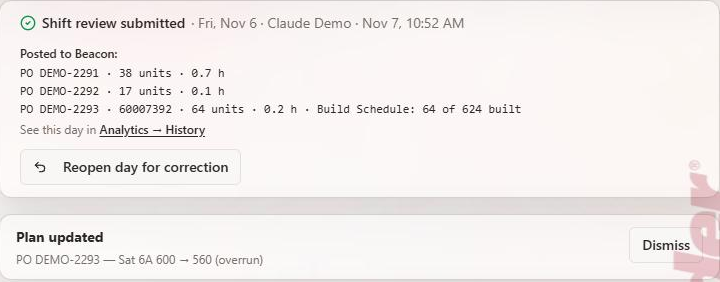
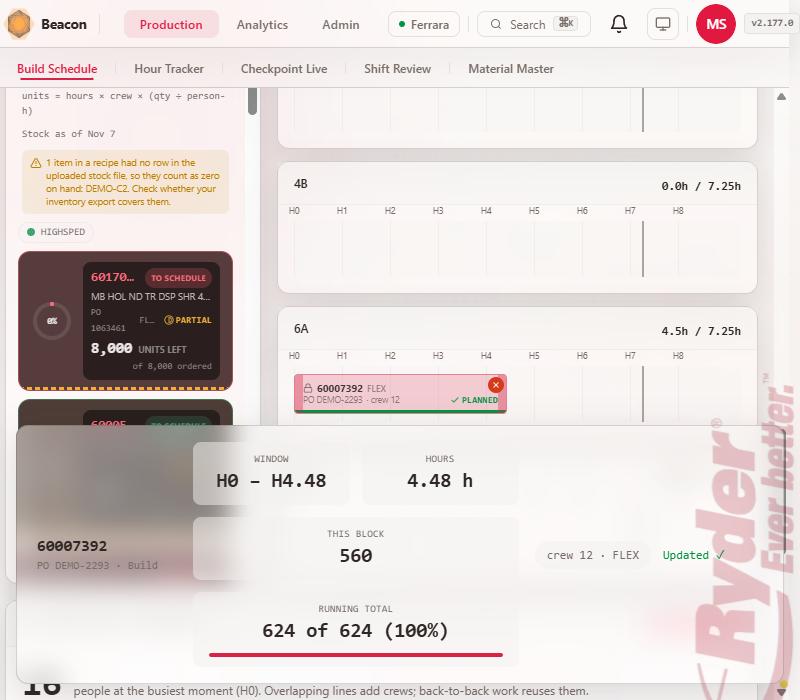
Screenshots are from Beacon's dev site. PO DEMO-2293 and PO 1063461 there, and all their numbers, are demo data, not real production. The demo uses smaller numbers than the example: 24 planned Friday, 64 built (40 extra), 600 planned Saturday on a 624 order.
2. Built extra? The next day shrinks
Beacon already did this when Shift Review was submitted the same evening. It skipped the next day when the review was submitted the next morning, because by then “tomorrow” was today. Ferrara reviews most days the next morning, so the next day kept its old number. Now it is cut either way.
- Plan the PO across two days, for example 1,000 Wednesday and 600 Thursday, on one line or on two.
- Wednesday the line builds 1,040.
- Thursday morning, open Shift Review for Wednesday and Submit Shift Review (or Re-post day).
- Beacon posts the 1,040, sees 1,600 − 1,040 = 560 left, and cuts Thursday's 600 to 560. The panel under the receipt says so (Fig. 2).
2.1Where you see it
Every screen reads the plan itself, so all of them show the new number with nothing else to do:
- Labor Planner: the block is 560 and the running total reads exactly the order (Fig. 3).
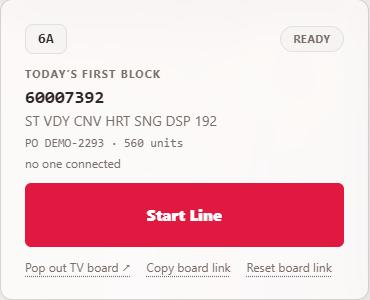
- Checkpoint Live and the TV board: the line's target for that PO is 560 (Fig. 4).
- Shift Review for that day: planned units 560. One exception: if the line already closed that PO out before the cut, its row keeps the 600 it was closed against.
2.2What is never cut
| Case | What happens |
|---|---|
| A day before today | Not cutIt already ran. |
| A day whose Shift Review is already submitted | Not cutIts grade is final. |
| Today's block would go to 0 | KeptThe line may be running it. Later days are still cut. Close the order in Shift Review if it is done. |
| The order still has units in the tray | Tray firstThe extra uses those up first. Order 2,000 with 400 unplanned: Thursday stays 600, and the tray goes from 400 to 360. |
| The PO's next block is next week | Not cutOnly the review's own week is trimmed. |
| The line built less than planned | Not cutThe shortfall goes back to the tray. Use Roll balance to next day. |
2.3Plan vs Actual stays fair
- Wednesday's grade does not move. It is the same before and after the cut: 1,040 built on 1,000 planned.
- Thursday is graded against 560. Build 560 and it reads On plan. Before this fix it read Short 40 for units Wednesday had already built.
- The 40 are counted once. When Wednesday's extra is big enough to show as Ahead of schedule, Thursday's target goes down by that credit or by the cut, whichever is larger, never by both.
3. Blocks you place fit their window
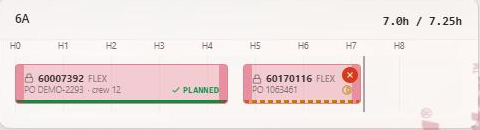
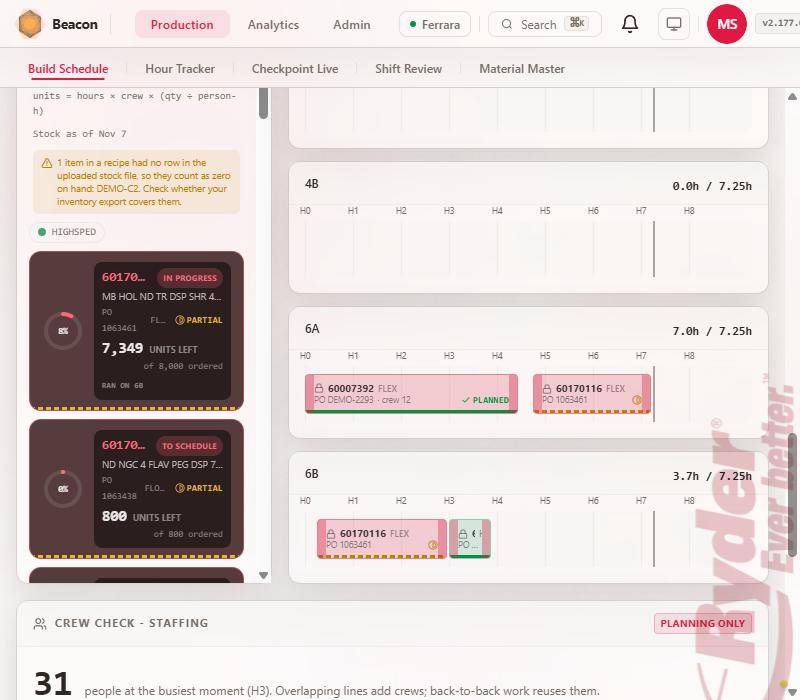
When you drop an order into a gap or near the end of the day, Beacon offers how many units fit. That number used to come from an average rate, while the bar was drawn from the full standard, which counts whole pallets. So the bar could end a few seconds to a few minutes too late. A day-end drop then showed “past end of day”, and Fix overlaps could not clear it. A gap fill touched the next block, and the peak crew counted both crews (31 became 43 in our test).
Now the drop panel, Place block and resizing all use the largest number of units whose bar fits the window.
Blocks placed before this release keep their size until you resize or re-place them. A quantity you type in the block panel is still yours to choose. If a window is too short for even one unit, Beacon says so and leaves the block as it was.
4. Questions
My next day did not shrink. Why?
Check the table in 2.2. The usual reasons: the order still had units in the tray, the next block is in next week, or today's review was already submitted.
Will the target change while the line is running?
Yes, if you submit yesterday's review after the shift starts. The line's target drops to what the order has left, so the crew is not chasing units that were already built.
Does the automatic close-out do this too?
Yes. It runs on the same day, so it could always cut the next day.