Beacon how-to · November 2026
Saving a group no longer freezes SKUs
A SKU that follows its group now keeps following it after any group is saved. Only SKUs holding their own copy of the group's steps get the new steps written onto them.
- v2.178.0
- v2.181.0
Screenshots are from Beacon's test site. DEMO GROUP, DEMO EMPTY GROUP, DEMO-SKU-FOLLOW, DEMO-SKU-COPY and DEMO-SKU-NEW are demo data.
1. Patch notes
v2.181.0 Nov 2026
- Uploading materials no longer freezes SKUs either. A SKU that follows its group keeps following it after a Materials upload, and a new SKU in a group is created following it. More
- SKUs with their own step list, or with their own step changes, are left as they are.
v2.178.0 Nov 2026
- Saving a group no longer freezes SKUs that follow their group. Before, saving any group in Material Master → Groups wrote that group's step list onto every following SKU in every group. Those SKUs then stopped picking up later group edits. More
- Save only touches the groups you changed. Adding or renaming a group writes nothing to any SKU.
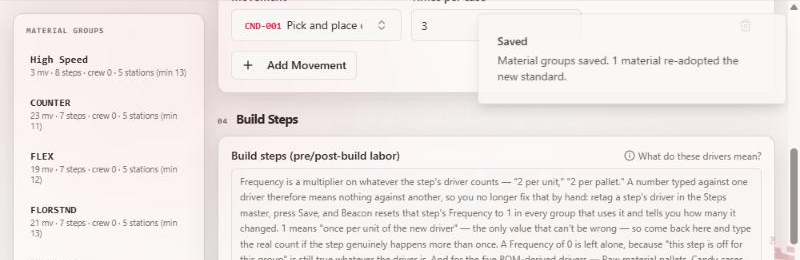
- The “N materials re-adopted the new standard” message now counts only SKUs that hold their own copy of the steps.
- The seed-data upload's group tabs had the same problem and are fixed the same way.
- No step, rate or quote changes when this ships. SKUs that already hold their own step list keep it. How to check
2. What went wrong
A SKU in a group gets its steps one of two ways:
- Follows the group. The SKU has no step list of its own. Beacon reads the group's steps every time, so a group edit reaches it at once.
- Own copy. The SKU holds its own step list. A group edit reaches it only if that list still matches what the group had before the edit.
Group save took “no list of its own” to mean “give it a copy”. So every save wrote a copy onto every following SKU, in every group, even groups nobody touched. The numbers did not move that day, because the copy matched the group. But the SKU stopped following, and a later group change made through any other path left it behind on old steps.
3. What a group save does now
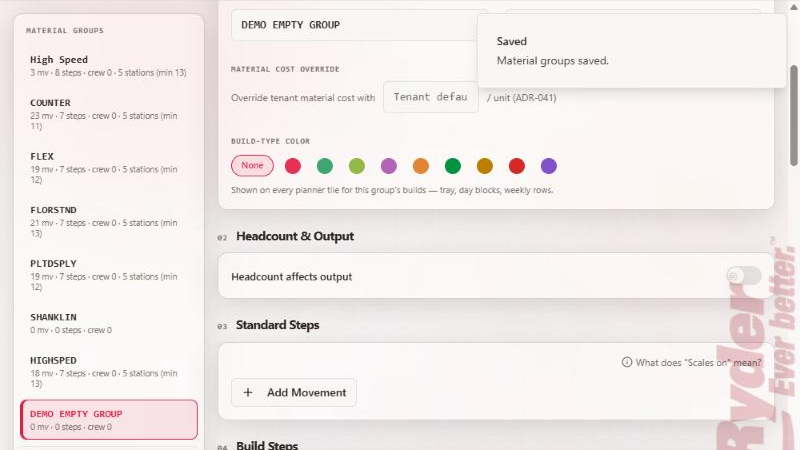
3aSaving a group you did not change writes nothing
Adding a new group, renaming one or changing only its color or markup writes nothing to any SKU. The message says only Material groups saved.
3bChanging a group's steps
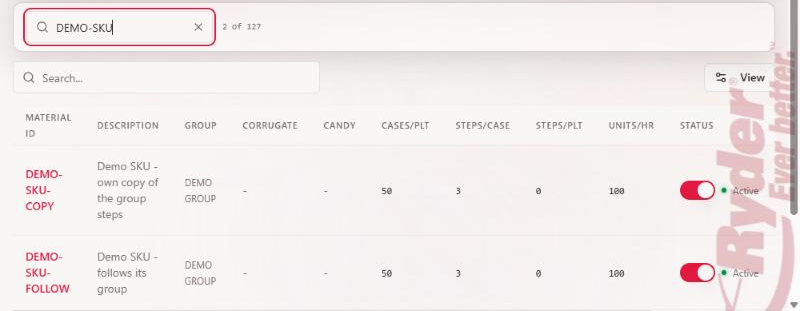
On the test site, DEMO GROUP had one step, CND-001, once per case. Two demo SKUs were in it: DEMO-SKU-FOLLOW follows the group, and DEMO-SKU-COPY holds its own copy. The step was changed to 3 per case and saved.
| SKU | Before save | After save |
|---|---|---|
| DEMO-SKU-COPY (own copy) | Own list: CND-001 ×1 | MovedOwn list: CND-001 ×3 |
| DEMO-SKU-FOLLOW (follows) | No list of its own | Still followsNo list of its own; reads ×3 from the group |
Both SKUs show Steps/Case 3 in the Materials list. Beacon keeps that stored number in step for a following SKU too, because some cost screens read it directly.
3cUploading materials next release
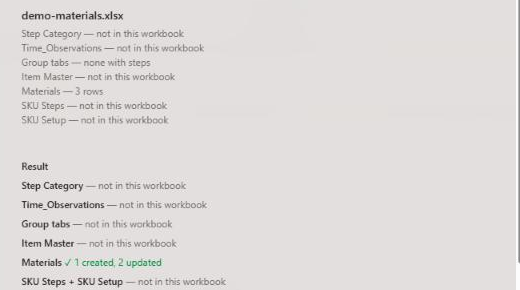
Uploading a Materials sheet (Material Master → Seed data) used to give every SKU in a group its own copy of the group's steps, both new SKUs and SKUs that were following. Now the upload writes no step list. A SKU that follows its group keeps following it, and a new SKU in a group is created following it. Only its Steps/Case and Steps/Plt numbers are set to the group's.
On the test site, a sheet with three DEMO GROUP rows was uploaded: DEMO-SKU-FOLLOW (following), DEMO-SKU-COPY (its own list, CND-001 ×5) and DEMO-SKU-NEW (not in Beacon yet).
| SKU | After the upload | After CND-001 went from 1 to 3 in DEMO GROUP |
|---|---|---|
| DEMO-SKU-FOLLOW (follows) | Still followsNo list of its own | Reads ×3 from the group |
| DEMO-SKU-NEW (new) | FollowsCreated with no list of its own | Reads ×3 from the group |
| DEMO-SKU-COPY (own list) | KeptOwn list: CND-001 ×5 | Keeps ×5 (its list was not the group's) |
4. Check a SKU
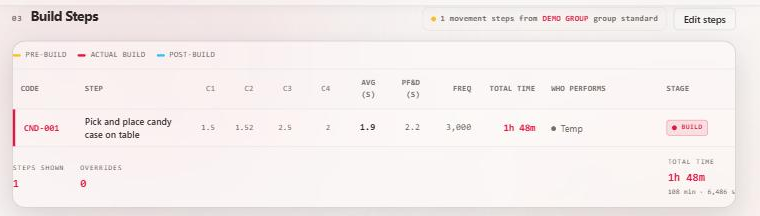
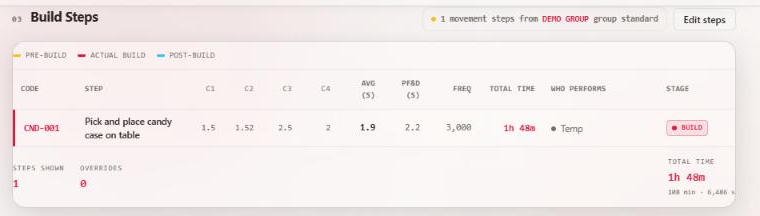
Open the SKU's dossier and look at the line next to Build Steps:
- N movement steps from GROUP group standard means it follows the group.
- N movement steps from GROUP · material overrides means it holds its own copy. A Use group standard button sits next to it.
- Open Material Master → Materials and click the SKU.
- If it says material overrides but the SKU should match its group, press Use group standard.
- The line changes to group standard. From now on, saving groups leaves it that way.
5. Questions
Does this change any cost or plan today?
No. The fix only stops new copies being written. Every SKU reads the same steps the day it ships.
A SKU has its own copy that equals the group. Will it follow group edits?
Yes, while its copy still matches the group. A group save moves such copies to the new steps, as before. Press Use group standard to make it follow for good.
Does uploading seed data still copy group steps onto SKUs?
No. From v2.178.0 the group tabs do not, and from the next release the Materials sheet does not either. See 3c.
What about SKUs with per-SKU step changes (adds or removes)?
Unchanged. A group save never writes over them.